Swiftly Workspace vs Teamwork.com: an honest comparison
We make Swiftly Workspace, so read this with that in mind.
Teamwork.com suits agencies that want professional services automation for client work, with invoicing from logged time on Accelerate and a free plan for up to five users. Swiftly Workspace suits service businesses that want projects, approved timesheets, invoices and payments on one customer record in a native Apple app.
If you run client work, you have probably met this fork already. One kind of tool grows out of the project plan: tasks, people, deadlines, and billing added on top. The other grows out of the customer and the invoice, with projects and hours feeding into it. Teamwork.com is a strong example of the plan-led kind. Swiftly is closer to the invoice-led kind. Where your own pain sits tells you which way to lean.
Swiftly Workspace and Teamwork.com at a glance
| Teamwork.com | Swiftly Workspace | |
|---|---|---|
| Built around | Professional services automation for client work | Customers, projects, timesheets and invoices in one workspace |
| Invoicing | Client invoicing from logged time, from the Accelerate plan | Draft invoices from approved project hours |
| Apple apps | iPhone and iPad app; no Mac version listed | Native Mac app, plus iPhone and iPad |
| Single sign-on | On the Enterprise plan | Not offered today |
| Pricing model | Per user per month, with a minimum of three or five users; free for up to five users; 14-day trial | Left out of this comparison |
Teamwork.com facts checked 2026-10-18 on teamwork.com and the App Store: the pricing page (re-opened 2026-10-25) and the App Store listing, with the home page checked 2026-10-25. We leave prices out of this comparison on both sides.
What Teamwork.com does well
Teamwork.com presents itself as professional services automation (PSA) software for client-services businesses such as agencies and consultancies, and its plans are laid out for agencies that grow. It is free for up to five users, which lets a small team start without paying, and it has a 14-day trial. Paid plans are priced per user per month, with a minimum of three users on Basics and five on Accelerate. Client invoicing from logged time arrives with the Accelerate plan, and single sign-on with Enterprise.
On AI, when we checked on 2026-10-25, Teamwork.com's pricing page said Teamwork AI was included in all paid plans for an introductory period, and said usage-based AI credits were planned from November 2026, so check its pricing page for the current terms. On Apple devices, the app covers iPhone and iPad, with no Mac version listed on the App Store.
Where Swiftly Workspace is different
Swiftly puts the project and the money on the same customer record. We describe what that looks like for a small agency in running a small agency on one app.
- Projects with a budget. Projects break down into Phases, Work Packages and Tasks, and each project chooses whether time is logged on the phase, the work package or the task. A work package's Estimated Hours and Hourly Rate give its Budgeted Amount. See tracking a project budget.
- Approved hours count. Team members submit weekly timesheets, and approvers review them in Timesheet Approvals. Once a timesheet is approved, its hours count toward the work package's Actual Hours; hours not yet approved don't.
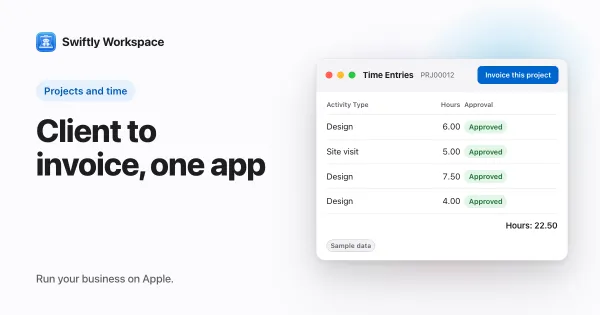
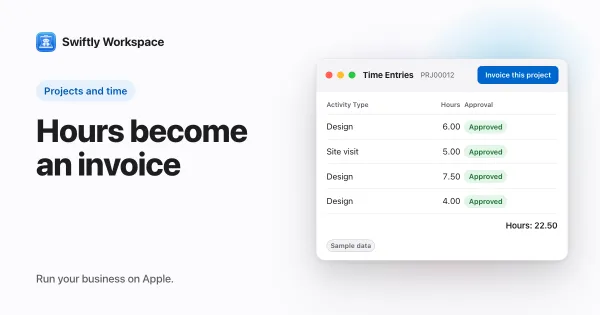
- From approved hours to a draft invoice. Invoice this project turns approved billable hours that are not yet invoiced into a draft invoice. Read how invoicing a project works.
- Payments where the invoice is. Invoices, credit notes and proforma invoices, each a draft a person finalizes, with customer payments allocated to the open invoice they pay. Vendors and their bills sit in the same workspace.
- Access by role. Roles with field-level permissions decide who sees what.
- AI with your own key. Your company's own key for a provider such as OpenAI, Gemini or Mistral, or Apple Intelligence on the device, where the text isn't sent to a cloud AI provider.
Where the work gets billed
The clearest difference is where an hour goes after it is logged.
- The hour is logged. In Teamwork.com, time is logged in the project tool itself. In Swiftly, on a weekly timesheet against the project, at the level the project chose.
- The hour is checked. In Swiftly, an approver reviews the timesheet, and the hours start counting toward the budget once approved.
- The hour is billed. In Teamwork.com, client invoicing from logged time comes with the Accelerate plan. In Swiftly, the approved hours become a draft invoice on the customer.
- The invoice is paid. In Swiftly, the payment is allocated to the invoice it pays, on the same record. With Teamwork.com, check how payments fit your setup.
If your hardest problems are in planning, scheduling and keeping clients updated on progress, Teamwork.com is the stronger tool. If they are in checking hours and turning them into correct invoices, Swiftly covers more of that path in one place.
Choose Teamwork.com if
- Your days are spent planning tasks, deadlines and people across many client projects.
- A team of up to five wants to start on a free plan.
- You need single sign-on, and an Enterprise plan suits your size.
- You want AI help inside the project plan.
Choose Swiftly Workspace if
- Most of your invoices come from approved hours on projects.
- You want to see a project's actual hours against its budget, counting approved time.
- You want invoices, credit notes and payments on the same customer record as the project.
- Your team works on Macs, iPhones and iPads and wants a native app on each.
- You want to choose your own AI provider, or use Apple Intelligence on the device.
What Swiftly Workspace doesn't do
Swiftly has no resource planning and no estimates, so it won't schedule your people across projects or send a quote. It doesn't offer company single sign-on today; our explainer on single sign-on for a small business covers what to look for. It is not accounting software, and it runs on Apple devices. For more agency tools side by side, see our roundup of Productive.io alternatives for small agencies, our Swiftly Workspace and Productive.io comparison, or our roundup of Harvest alternatives for teams that need CRM and projects.
What to test in a trial
Choose a project you finished recently and replay its last month. Set it up with its phases and budget, have two people enter the hours they really worked, and ask the project lead to check them. Then produce the invoice the client received and compare it line by line. Watch where each tool asks you to retype something, and which plan each step needed. To try this in Swiftly with your own records, Swiftly Workspace imports customers and their contacts, vendors, items, open invoices, payments and projects from CSV or XLSX; bring across invoices that are still fully unpaid.
Frequently asked questions
Which Teamwork.com plan invoices logged time?
Teamwork.com's pricing page lists client invoicing from logged time from the Accelerate plan (checked 2026-10-18). In Swiftly, approved billable hours on a project become a draft invoice on the customer.
Is Teamwork.com free for a small team?
Teamwork.com is free for up to five users, and paid plans have a minimum of three users on Basics and five on Accelerate (checked 2026-10-18). Confirm the current terms on its pricing page.
How does Teamwork.com charge for AI?
When we checked on 2026-10-25, Teamwork.com's pricing page said Teamwork AI was included in all paid plans for an introductory period, and said usage-based AI credits were planned from November 2026, so check its pricing page for the current terms. In Swiftly, cloud AI runs on your company's own provider key, and Apple Intelligence works on the device without one.
Run your business on Apple.
Create your account on the web, then set up your workspace in the app on your iPhone, iPad or Mac.