Productive.io alternatives for small agencies
We make Swiftly Workspace, so read this with that in mind.
The right Productive.io alternative depends on how much agency software you need. Swiftly Workspace keeps customers, projects, approved timesheets and invoices in one native Apple app; Scoro is a fuller platform for firms of five or more, Teamwork.com suits client projects, and Harvest suits focused time tracking.
A small agency's needs change fast. At four people, one person often plans the work, approves the hours and sends the invoices. At fifteen, those are three jobs, and the software has to keep up. Productive covers a lot of that range. The tools below cover different parts of it, so the useful question is which part your agency is in today.
The options at a glance
| Tool | Mac | Approving hours | Pricing model | Suits |
|---|---|---|---|---|
| Productive.io | Listed as "Designed for iPad" | Billable hours on Professional | Per user per month; no free plan | Agencies that want one agency platform |
| Swiftly Workspace | Native Mac app | Timesheet Approvals | Left out of this roundup | Small teams billing project hours |
| Scoro | Listed as "Designed for iPad" | Not compared here | Per user per month; five-seat minimum | Firms that start from the quote |
| Teamwork.com | No Mac version listed | Not compared here | Per user per month; free for up to five users | Client project delivery |
| Harvest | Separate Mac app | On the Enterprise plan | Per seat; Free plan for one seat | Focused time tracking |
Checked 2026-10-18 on productive.io, scoro.com, teamwork.com, getharvest.com and the App Store: Productive's pricing, listing and PEPPOL help article; Scoro's pricing and listing; Teamwork.com's pricing and listing; and Harvest's pricing, iPhone app and Mac app. We leave prices out on every side.
What Productive.io does well
Productive's App Store listing presents it as agency software, and its pricing page backs that up: approval of billable hours on the Professional plan, an AI Assistant, and enforced single sign-on on its top plan. Its help center also describes sending invoices over PEPPOL from Belgium, Luxembourg, the Netherlands, Norway and Sweden. It is priced per user per month, with no free plan and a 14-day trial. On Apple devices it has an iPhone and iPad app, and the App Store lists its Mac version as "Designed for iPad". Our Swiftly Workspace and Productive.io comparison goes deeper.
Swiftly Workspace: the client, the hours and the invoice
Swiftly is a native Mac app with an iPhone and iPad app, for small service teams that want less to set up. Our guide to running a small agency on one app shows how the pieces fit.
- Projects as Phases, Work Packages and Tasks. A work package's Estimated Hours and Hourly Rate give its Budgeted Amount, and approved hours count toward its Actual Hours.
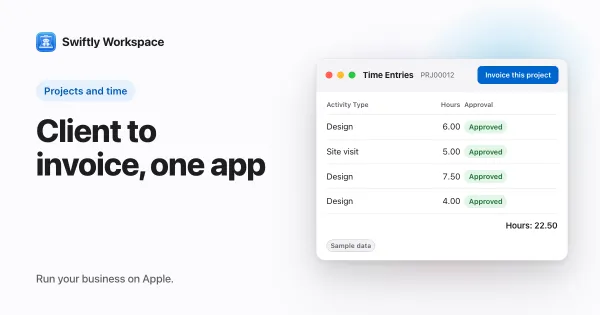
- Timesheets reviewed in Timesheet Approvals, and Invoice this project to turn approved billable hours into a draft invoice.
- Customers with contacts and addresses; invoices, credit notes and proforma invoices, each a draft a person finalizes; and customer payments allocated to the open invoice they pay.
- AI with your company's own key for a provider such as OpenAI, Gemini or Mistral, or Apple Intelligence on the device.
What Swiftly doesn't have: no resource planning, no estimates, no PEPPOL sending or receiving today, and no company single sign-on today. It runs on Apple devices. If your agency plans people weeks ahead, a fuller platform will suit you better.
Scoro: a fuller platform from quote to invoice
Scoro sells its plans as combinations, such as Quote to Cash and Projects & Resources, priced per user per month with a minimum of five seats and a 14-day trial. Scoro AI runs on AI credits. It has an iPhone and iPad app, and the App Store lists its Mac version as "Designed for iPad"; the listing says features under the More section open a mobile version of your Scoro site. Choose it if your agency prices every job from a quote. See how Swiftly compares with Scoro.
Teamwork.com: built for client projects
Teamwork.com is free for up to five users, then priced per user per month, with a minimum of three users on Basics and five on Accelerate, and a 14-day trial. Its pricing page lists client invoicing from logged time from the Accelerate plan and single sign-on on Enterprise. It has an iPhone and iPad app, with no Mac version listed on the App Store. Choose it if your agency's day is mostly delivering client projects. Our Teamwork.com comparison covers more.
Harvest: time tracking that stays simple
Harvest has an iPhone app, listed as Harvest: Track Time & Invoice, and a separate Mac app; the App Store lists no iPad version. It is priced per seat, with a Free plan for one seat and two projects and a 30-day trial. Timesheet approvals and SAML single sign-on come with the Enterprise plan. Choose it if your agency mainly needs hours tracked well and turned into invoices. See Swiftly Workspace and Harvest compared.
Sizing the tool to the agency
- Two to five people. One person usually does the planning and the billing. A tool with customers, projects, approval and invoicing in one place saves the most copying.
- Five to fifteen. Approvals start to matter, and so does who sees what. Check which plan includes approvals and whether hours count against the budget before or after they are approved.
- Fifteen and up. Planning people across projects becomes its own job. That is where resource planning and fuller platforms earn their keep.
How you price the work matters too. Hourly work needs approved time to flow into the invoice; fixed fees need the budget to warn you early. Our explainer on fixed fee versus time and materials helps you check which you mostly do.
Check e-invoicing as well. Productive's help center describes sending them from five countries; Swiftly doesn't send or receive them today. If e-invoices matter where you work, ask each tool on your list how it handles them in your country before you commit, and our explainer on what PEPPOL is covers the basics.
What to test in a trial
- Pick a live client project and set it up in each tool, with its phases and an estimate.
- Have one colleague submit hours on time and another submit late, then see which tool makes the missing hours obvious before you invoice.
- Create the invoice for the approved hours and count what you typed by hand.
- Bring your own data. Swiftly Workspace imports customers and their contacts, vendors, items, open invoices, payments and projects from CSV or XLSX; bring across invoices that are still fully unpaid.
Frequently asked questions
Which Productive.io alternative has a native Mac app?
Swiftly Workspace has a native Mac app alongside its iPhone and iPad app, and Harvest has a separate Mac app. The App Store lists the Mac versions of Productive.io and Scoro as "Designed for iPad" (checked 2026-10-18).
Is there a Productive.io alternative with a free plan?
Teamwork.com is free for up to five users, and Harvest has a Free plan for one seat and two projects (checked 2026-10-18). Productive.io has no free plan and offers a 14-day trial.
Which Productive.io alternative suits an agency of three people?
At that size one person usually plans, approves and invoices, so a single tool with customers, projects, approval and invoicing saves the most time. Swiftly Workspace is built that way. Scoro's plans start at five seats (checked 2026-10-18).
Run your business on Apple.
Create your account on the web, then set up your workspace in the app on your iPhone, iPad or Mac.