Swiftly Workspace vs Harvest: an honest comparison
We make Swiftly Workspace, so read this with that in mind.
Harvest is a good choice when you want a focused time tracker with invoicing, on iPhone and on a Mac, and a free plan to start with. Swiftly Workspace fits service businesses that want customers, projects, approved timesheets and invoices in one app on iPhone, iPad and Mac.
Both tools start from the same idea: hours you work should turn into invoices without retyping. Where they differ is how much else lives around those hours. This page compares the two on the points we could check on Harvest's own pages, and says plainly where Harvest is the better pick.
Swiftly Workspace and Harvest at a glance
| Harvest | Swiftly Workspace | |
|---|---|---|
| iPhone and iPad | An iPhone app; the App Store lists no iPad version | One app for iPhone and iPad |
| Mac | A separate Mac app with its own App Store listing | Native Mac app |
| Timesheet approval | Listed on the Enterprise plan | Timesheets are submitted, then reviewed in Timesheet Approvals |
| Single sign-on | SAML single sign-on listed on the Enterprise plan | Not offered today |
| Pricing model | Per seat, with a Free plan for one seat and two projects, and a 30-day trial | Left out of this comparison |
Checked 2026-10-18 on getharvest.com and the App Store: the Harvest pricing page, Harvest for iPhone and Harvest for Mac. We leave prices out of this comparison on both sides, and we don't compare plan tiers on our side.
What Harvest does well
Harvest keeps its promise small and clear. Its iPhone app is listed on the App Store as Harvest: Track Time & Invoice, and that is the job: start tracking, see where the hours went, and bill them. It has a Mac app of its own, separate from the iPhone app, so people who live on a Mac get a desktop app made for it.
The pricing is easy to reason about. You pay per seat, a single person can stay on the Free plan with two projects, and a 30-day trial lets a team try the paid plans before committing. If your business is you plus a laptop and a phone, that is hard to argue with.
Where Swiftly Workspace goes further
Swiftly is built for the case where time is one part of a bigger record. The hours sit inside a project, the project belongs to a customer, and the customer has contacts, invoices and payments, all in the same workspace.
- Structured projects. Each project breaks down into Phases, Work Packages and Tasks, with a budgeted amount, so hours land on the piece of work they belong to. See how invoicing a project works.
- Approval before billing. Team members submit their timesheets, and approvers review them in Timesheet Approvals. Our guide to how timesheet approval works covers the flows, and submitting a timesheet on a Mac walks the steps.
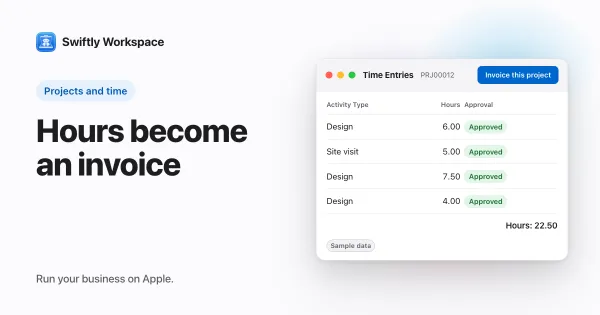
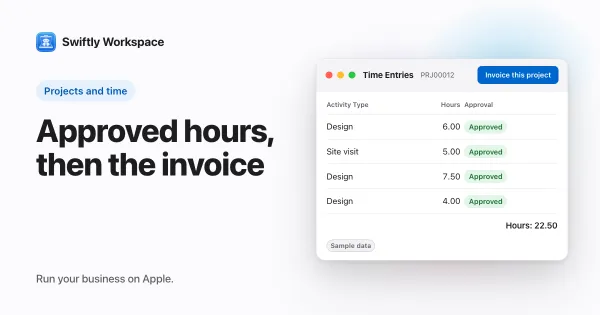
- From hours to a draft invoice. In a project, Invoice this project turns approved billable hours that are not yet invoiced into a draft invoice. A person checks it and finalizes it; nothing is sent on its own.
- Customers and vendors. Customers with their contacts and addresses, plus vendors, vendor documents and vendor payments.
- Invoices and payments. Invoices, credit notes and proforma invoices, and customer payments allocated to the open invoice they pay.
- AI on your terms. Connect your company's own key with a provider such as OpenAI, Gemini or Mistral, or use Apple Intelligence on the device, where the text isn't sent to a cloud AI provider.
- Roles with field-level permissions, so each person sees the fields their role allows.
One week of work in each tool
A simple way to compare is to follow one week of client work from Monday to the invoice.
- Logging hours. In Harvest, each person tracks time against a project, on an iPhone or a Mac. In Swiftly, each person logs time on their timesheet against a project, on iPhone, iPad or Mac.
- Checking the hours. On Harvest's Enterprise plan, a manager can approve timesheets. In Swiftly, the week is submitted and the project's approvers review it in Timesheet Approvals.
- Seeing the budget. In Swiftly, the hours sit under a phase and a work package of a project with a budgeted amount, so you can see what part of the job they belong to.
- Billing. Both tools turn hours into an invoice. In Swiftly, Invoice this project gathers the approved billable hours into a draft, and a person finalizes it.
- Getting paid. In Swiftly, the customer payment is recorded and allocated to the invoice it pays, on the same customer record.
If steps two, three and five matter to you, Swiftly saves you a second tool. If your week ends at step four, Harvest may be all you need.
Choose Harvest if
- You mostly need a time tracker, and invoices are the end of that one flow.
- You work alone, or close to it, and a free plan for one seat and two projects covers you.
- You track time on an iPhone and a Mac, and an iPad app doesn't matter to you.
- Your company signs in to every tool through an identity provider, and you plan to be on Harvest's Enterprise plan.
Choose Swiftly Workspace if
- Your team's hours need a manager's approval before anyone bills them.
- Projects have structure, and you want the hours to land on a phase or work package with a budgeted amount.
- You want the customer, the project, the invoice and the payment in one place, on iPhone, iPad and Mac.
- You also pay suppliers and want vendor bills next to your customer invoices.
What to test before you decide
Run the same real week through both tools rather than a demo project. Log a few days of hours, have someone else approve them, turn them into an invoice and record the payment. Note where you had to leave the app, copy a number or ask a colleague. That list of small detours usually decides the question faster than any feature table.
What Swiftly Workspace doesn't do
Swiftly has no estimates, and it is not accounting software: your accountant keeps the books in their own tools. It doesn't offer company single sign-on today. It runs on Apple devices, so if part of your team works on Windows or Android, Harvest or another tool will suit them better. And if a free plan for one person matters most, Harvest has one and we don't compare ours here.
Weighing more options? Our roundup of Harvest alternatives for teams that also need CRM and projects lines up several, and you can also see how we compare with a cross-platform time tracker and with an invoicing app with time tracking.
Frequently asked questions
Does Harvest have an iPad app?
On 2026-10-18, the App Store listed Harvest's mobile app for iPhone, with no iPad version, and a separate app for the Mac. Swiftly has one app for iPhone and iPad and a native Mac app.
Which Harvest plan includes timesheet approvals?
Harvest's pricing page listed timesheet approvals on the Enterprise plan when we checked on 2026-10-18. Plans change, so check the page before you decide.
Can I bring my Harvest projects into Swiftly Workspace?
Swiftly Workspace imports customers and their contacts, vendors, items, open invoices, payments and projects from CSV or XLSX files. Export CSV files from the tool you use today, then map the columns during the import. Bring across open invoices that are still fully unpaid, and settle partly paid ones in the old tool.
Does Swiftly Workspace send invoices without me?
No. Every invoice starts as a draft, including one made with Invoice this project, and a person finalizes it.
Run your business on Apple.
Create your account on the web, then set up your workspace in the app on your iPhone, iPad or Mac.
Create your account