Swiftly Workspace vs FreshBooks: an honest comparison
We make Swiftly Workspace, so read this with that in mind.
FreshBooks is a good fit for freelancers and small teams who want estimates, invoices and time tracking on iPhone and iPad. Swiftly Workspace fits service businesses that want customers, invoices, projects and approved timesheets in one app on iPhone, iPad and Mac.
Swiftly Workspace and FreshBooks at a glance
| FreshBooks | Swiftly Workspace | |
|---|---|---|
| Apps | iPhone, iPad and Apple Vision on the App Store; no Mac version listed | Native Mac app, plus iPhone and iPad |
| Estimates | Unlimited estimates on all plans | Not available |
| Time | Unlimited time tracking on all plans | Timesheets with submission and approval |
| Projects | Project budgets on all plans | Phases, Work Packages and Tasks, with project budgets |
FreshBooks facts checked 18 and 21 October 2026 on the FreshBooks pricing page and FreshBooks' App Store listing. Pricing: FreshBooks sells each plan as a subscription, charges extra for each added team member, and offers a 30-day free trial with no credit card required (checked 18 October 2026). We leave prices out of this comparison on both sides.
Choose FreshBooks if
- You send estimates and want them in the same app as your invoices.
- You work on iPhone and iPad and don't need a Mac app.
- You want to try it for a month without entering a card.
Choose Swiftly Workspace if
- You work on a Mac as much as on iPhone or iPad, and want a native app on each.
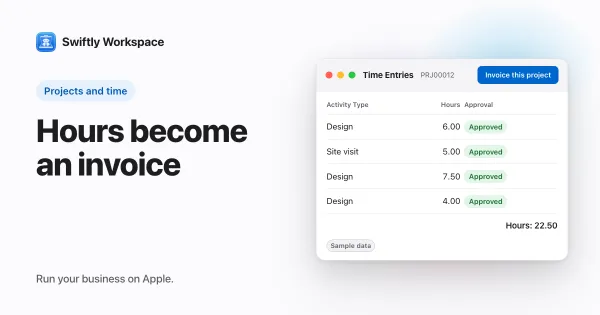
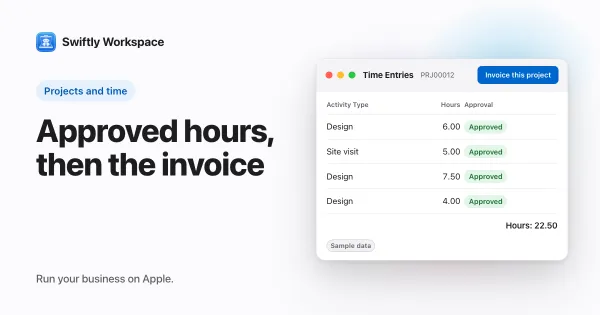
- Your team's hours need approval before they are billed. Approved billable hours become a draft invoice with Invoice this project, and a person finalizes it. More in invoicing a project and how timesheet approval works.
- Your projects have structure: Phases, Work Packages and Tasks, with a budgeted amount on the project.
- You want AI on your own terms: your company's own key with a provider such as OpenAI, Gemini or Mistral, or Apple Intelligence on the device. See bring your own AI key.
- You need roles with field-level permissions.
- You also manage vendors, vendor documents and vendor payments in the same place.
What Swiftly Workspace doesn't do
Swiftly has no estimates, so if you send an estimate before every job, FreshBooks covers that step and we don't. Swiftly is also not accounting software: you keep your accountant's tools for the books. If you are unsure which side of that line you need, read invoicing app or accounting software. And Swiftly runs on Apple devices: iPhone, iPad and Mac.
Looking wider than these two? Our roundup of FreshBooks alternatives for service businesses lines up more options.
Frequently asked questions
Is there a FreshBooks app for Mac?
FreshBooks' App Store listing covers iPhone, iPad and Apple Vision and lists no Mac version (checked 2026-10-18). Swiftly has a native Mac app alongside its iPhone and iPad app.
Can I move from FreshBooks to Swiftly Workspace?
Swiftly imports customers, invoices, payments and projects from CSV or XLSX files, so export CSV files from your current tool and map the columns during import. Our switching checklist walks through a clean cut-over.
Does Swiftly Workspace have estimates?
No. Swiftly covers invoices, credit notes and proforma invoices, with every invoice starting as a draft that a person finalizes.
Run your business on Apple.
Create your account on the web, then set up your workspace in the app on your iPhone, iPad or Mac.
Create your account