FreshBooks alternatives for service businesses
We make Swiftly Workspace, so read this with that in mind.
Which FreshBooks alternative fits depends on what sits around your invoices. Swiftly Workspace suits service teams that want projects, approved timesheets and a native Mac app with their invoicing. Harvest suits teams that start from the timer, and Xero suits teams that want the books in the same tool.
FreshBooks itself is a good fit for freelancers and small teams, and for many of them it is the right answer. People start looking elsewhere when the team grows, when hours need a manager's approval, or when they want a desktop app on the Mac. This roundup compares three alternatives on facts we could check on each vendor's own pages.
The options at a glance
| Tool | Apple apps | Pricing model | Suits |
|---|---|---|---|
| FreshBooks | iPhone, iPad and Apple Vision; no Mac version listed | Subscription plans, extra per added team member; 30-day trial, no card | Freelancers and small teams |
| Swiftly Workspace | Native Mac app, plus iPhone and iPad | Left out of this roundup | Service teams with projects and approvals |
| Harvest | iPhone app and a separate Mac app; no iPad version listed | Per seat; Free plan for one seat and two projects; 30-day trial | Teams that start from the timer |
| Xero | iPhone and iPad; no Mac version listed | Per organization, with no per-user license fees | Businesses that want invoicing and the books together |
Checked 2026-10-18 on freshbooks.com, getharvest.com, xero.com and the App Store, with the FreshBooks plan features re-checked 2026-10-21: the FreshBooks pricing page and FreshBooks' listing, the Harvest pricing page, Harvest for iPhone and Harvest for Mac, and the Xero pricing page (UK) and Xero's listing. We leave prices out on every side.
What FreshBooks does well
FreshBooks lists unlimited estimates, unlimited time tracking and project budgets on all its plans, so a small team gets the whole quote-to-invoice loop without upgrading. The app covers iPhone, iPad and Apple Vision. A 30-day trial needs no credit card, which makes it easy to try. If that loop is your whole business, stay. Our honest comparison of Swiftly Workspace and FreshBooks goes point by point.
Swiftly Workspace: invoicing inside projects and approved time
Swiftly is a native Mac app with an iPhone and iPad app. It is built for service businesses where an invoice is the end of a longer story: a customer, a project, hours that someone approved.
- Invoices, credit notes and proforma invoices, each starting as a draft a person finalizes, in the Modern, Classic or Receipt layout, with a scan-to-pay QR code on outstanding euro invoices.
- Customer payments allocated to the open invoice they pay.
- Projects as Phases, Work Packages and Tasks, with a budgeted amount, and timesheets reviewed in Timesheet Approvals.
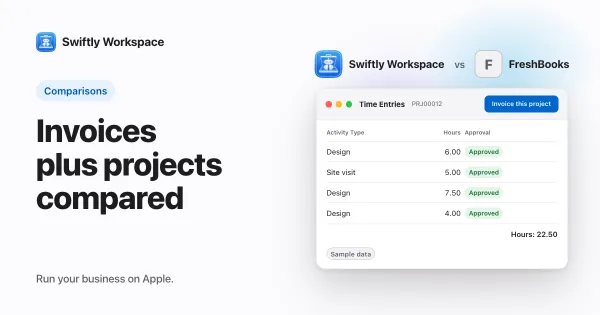
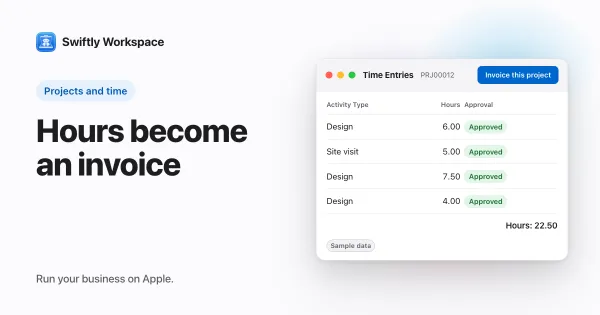
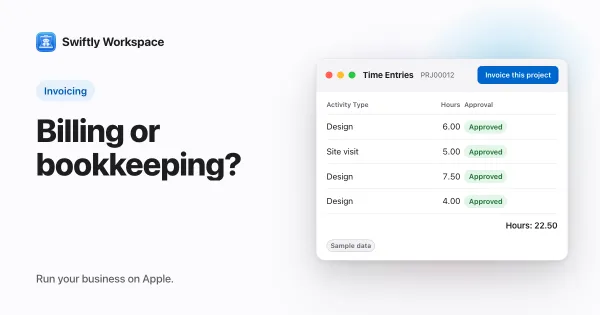
- Invoice this project turns approved billable hours that are not yet invoiced into a draft invoice. See invoicing a project from its approved hours.
- Vendors, vendor bills and vendor payments next to your customers.
- AI with your company's own key for a provider such as OpenAI, Gemini or Mistral, or Apple Intelligence on the device.
Where FreshBooks is ahead: Swiftly has no estimates, and it is not accounting software. If you are unsure which of the two you need, read invoicing app or accounting software.
Harvest: for teams that start from the timer
Harvest's iPhone app is listed on the App Store as Harvest: Track Time & Invoice, and it has a separate app for the Mac. It is priced per seat, with a Free plan for one seat and two projects and a 30-day trial. Its pricing page lists timesheet approvals on the Enterprise plan. Choose Harvest when tracking hours is the heart of the work and invoices follow from it. Our comparison of Swiftly Workspace and Harvest covers the differences.
Xero: invoicing next to the books
Xero's app is listed on the App Store as Xero Accounting for business, for iPhone and iPad, with no Mac version listed. It is priced per organization and says it has no per-user license fees. Choose Xero if you want invoicing and the books in the same tool. We look at it in more detail in our Xero comparison.
Questions to ask before you switch
- Who touches an invoice before it goes out? If a manager has to approve hours, or someone checks every draft, look for approvals and drafts built into the flow.
- What do you send before the invoice? If most jobs start with an estimate, keep a tool that has them; FreshBooks lists unlimited estimates on all plans.
- Who keeps the books? If your accountant works in their own software, an invoicing app is enough. If you do the books yourself, an accounting tool such as Xero may fit better.
- Which devices does the team use? A Mac-heavy team may want a native Mac app, while a team on the road may care more about the phone.
- What happens to open invoices on the switch date? Settle partly paid invoices in your old tool, and bring across the ones still fully unpaid.
How to pick
- Write down the step before the invoice: an estimate, a timer, an approved timesheet or a bookkeeping entry. That step points to the tool.
- Check where your team works. If people are on a Mac all day, a native Mac app is worth weighing.
- Count who needs access, then read each pricing model with that number in mind.
- Plan the move. Our switching checklist covers exports, open invoices and a clean cut-over date.
What to test in a trial
Pick one recent job and rebuild it in each tool you shortlist: the customer, the hours or the work done, the invoice and the payment. Watch for three things. How many times did you type the same information? Could someone else check the invoice before it was final? And could you find the whole story of that job again a week later, from the customer record alone?
If you are moving from FreshBooks, start by exporting your customers and importing them into the trial, so you test with names you know. A trial with your own data shows gaps that a tidy sample workspace hides, such as missing fields, long customer names or unusual payment terms.
Frequently asked questions
What is a good FreshBooks alternative for a Mac?
FreshBooks' App Store listing showed no Mac version on 2026-10-18. Swiftly Workspace has a native Mac app with an iPhone and iPad app, and Harvest has a separate Mac app for time tracking.
Which FreshBooks alternative has timesheet approvals?
Swiftly Workspace has timesheets that are submitted and reviewed in Timesheet Approvals. Harvest's pricing page lists timesheet approvals on its Enterprise plan.
Is there a FreshBooks alternative without per-user fees?
Xero says it has no per-user license fees and prices each organization instead (checked 2026-10-18). Pricing models change, so read each vendor's current page.
Can I keep my FreshBooks invoice history when I switch?
Keep your full history as an export: download your customers and invoices as CSV files before you leave, and store them with your records. Swiftly Workspace imports customers and their contacts, vendors, items, open invoices, payments and projects from CSV or XLSX files, so you can bring across the open invoices you still need to collect. Import the ones that are fully unpaid, and settle partly paid invoices in FreshBooks before the switch.
Run your business on Apple.
Create your account on the web, then set up your workspace in the app on your iPhone, iPad or Mac.
Create your account