Invoicing app or accounting software: which do you need?
Invoicing software creates invoices and tracks who has paid. Accounting software keeps the books: it records every transaction in accounts, reconciles them and prepares tax filings. Many small service businesses need both, with the invoicing app used every day and the books kept by an accountant.
The two get confused because they overlap at the invoice. Both know what you billed. What differs is everything around it: invoicing software looks forward to getting paid, while accounting software looks back at the whole financial picture.
What each one does
| Job | Invoicing software | Accounting software |
|---|---|---|
| Create and number invoices | Yes, the core job | Often yes, more basic |
| Credit notes and proformas | Yes | Often |
| Track who has paid | Yes | Yes |
| Customer details and history | Usually rich | Usually thin |
| Record every transaction in accounts | Generally no | Yes, the core job |
| Bank reconciliation, tax filings, year-end statements | Generally no | Yes |
When an invoicing app is enough on its own
For a young business with simple finances, an invoicing app plus an accountant often covers it. You create invoices, record payments and keep your customers in order. Your accountant takes the invoices and supplier bills at the end of each period and keeps the books in their own software.
That split works well when:
- you send a manageable number of invoices each month;
- an accountant already handles your bookkeeping and tax filings;
- most of your work is selling services, with few purchases to track;
- you care more about getting paid on time than about reading a balance sheet every week.
When you need accounting software too
Accounting software, or an accountant who runs it for you, becomes essential as soon as the books themselves matter. In many countries a company has to keep proper books, file periodic tax returns and produce annual accounts. You generally need it, directly or through your accountant, when:
- you are a company rather than a sole trader, and must file annual accounts;
- you are VAT-registered and file VAT periodically;
- you hold stock, assets or loans that need to be tracked over time;
- you want monthly profit figures, cash-flow reports or a balance sheet.
Our explainer on what bookkeeping and periodic tax reporting involve covers that side in plain terms. Rules differ by country and by legal form, so check with your accountant what applies to you.
Where Swiftly Workspace fits
Swiftly Workspace is an invoicing and business app, not accounting software. We would rather say that plainly than let you find out at year end.
What it does on the invoicing side:
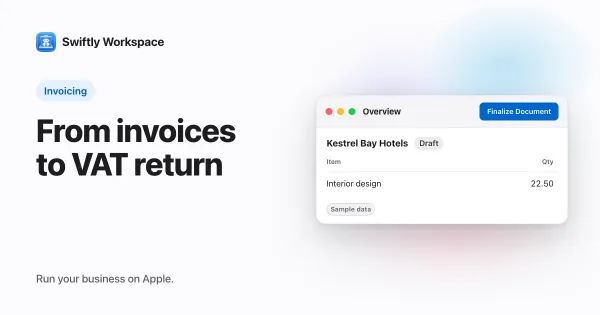
- Invoices, credit notes and proformas for your customers, with a tax rate on each line. Every invoice starts as a draft, and a person finalizes it, which gives it its number and locks it.
- Supplier bills, recorded as vendor documents next to your vendors.
- Payments from customers and to vendors, allocated to the open invoices and bills they settle, so you can see what is still outstanding.
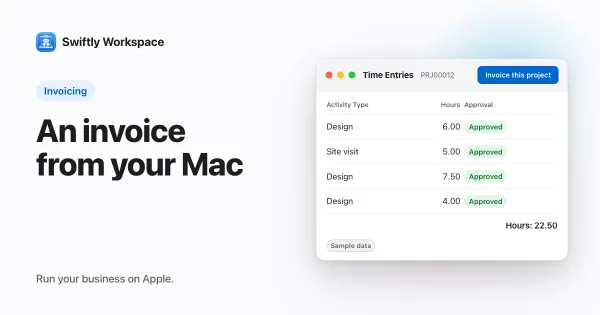
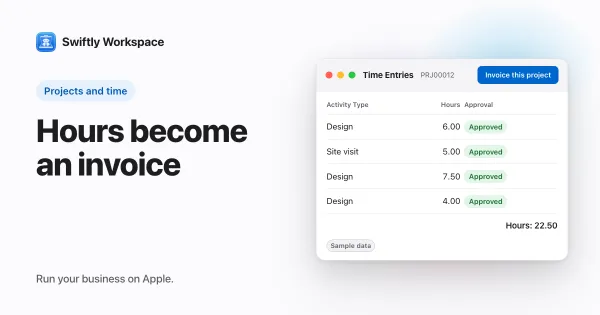
- Projects to invoices. Approved hours on a project can become a draft invoice for its customer.
What it does not do: there is no chart of accounts, no bookkeeping entries to post, no tax filing and no year-end statements. For those, keep working with your accountant and the accounting software they use, and give them your invoices and bills each period.
If you want to see the invoicing side in practice, how to create and finalize an invoice on Mac walks through it, and invoicing a project shows how hours become a draft. Keeping customers next to their invoices is a large part of the value; why a CRM with invoicing beats two separate tools explains why. On the payments side, read how payment allocation works and how to get paid faster.
Signs you have outgrown your current setup
Whichever tools you use today, a few signals suggest it is time to change something:
- You cannot say who owes you money without opening several files. That is an invoicing problem, and a dedicated invoicing app fixes it.
- Your accountant spends hours each quarter chasing missing invoices or bills. A clearer handover, or invoicing software that keeps every document in one place, usually helps.
- You make decisions without current numbers. If you need profit or cash figures every month, that is a bookkeeping question, and accounting software or a monthly service from your accountant is the answer.
- Customer details live somewhere else. When addresses, contacts and payment terms sit in a spreadsheet next to your invoicing tool, they drift apart. Keeping customers and invoices together prevents that.
A simple way to decide
- Ask who keeps your books. If an accountant does, you may need an invoicing app rather than accounting software of your own.
- Count your daily jobs. If most of your admin is invoicing, chasing payments and managing customers, start with the tool built for that.
- Check your obligations. Your legal form and VAT status decide what books you must keep; your accountant can tell you in one conversation.
- Plan the handover. Agree how invoices and bills reach your accountant each month or quarter, and stick to it.
Frequently asked questions
Can I run a small business with just an invoicing app?
Many sole traders and small service businesses do, as long as someone keeps the books. Often that someone is an accountant who receives your invoices and bills each period.
Is bookkeeping the same as accounting?
Not quite. Bookkeeping records the transactions; accounting interprets them, produces statements and handles tax. Accounting software usually does both, with an accountant checking the result.
What should I send my accountant each period?
Usually your sales invoices and credit notes, your supplier bills, and your bank statements. Ask your accountant which format they prefer, since many have their own way of importing documents.
Run your business on Apple.
Create your account on the web, then set up your workspace in the app on your iPhone, iPad or Mac.
Create your account