Bring your own AI key: what it means for a business app
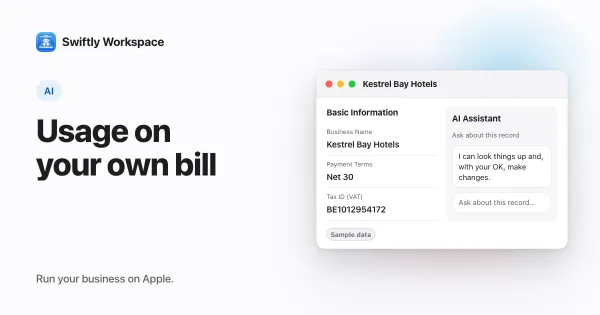
Bring your own key means a business app runs its cloud AI on your company's own account with an AI provider. You choose the provider, the provider bills you directly for what you use, and without a key the app has no cloud AI at all.
How bring your own key works
- Create a key in your provider's developer console. In Swiftly Workspace you can connect providers such as OpenAI, Gemini, Grok, Mistral, Cohere, DeepSeek or Perplexity.
- Add it to the app. In Swiftly, open Capabilities, choose the provider, paste the key and turn on Enable this provider.
- The server holds the key. Swiftly's server stores the key encrypted with AES-GCM and calls the provider on your behalf. The iPhone, iPad and Mac apps never talk to the cloud provider directly.
- The provider bills you. Usage appears on your own provider account, at that provider's rates.
To weigh up what that costs in practice, see what bring-your-own AI really costs.
Bundled AI or your own key
| Question | AI bundled by the vendor | Your own key |
|---|---|---|
| Who picks the provider | The vendor | You |
| Who bills for usage | The vendor, often inside a plan | Your provider, on your account |
| Who sees your prompts | The vendor's chosen provider | The provider you connected |
| Without a key | Not applicable | Cloud AI is off; on-device AI can still work |
What it changes for your team
- Set up once for the company. An admin connects the provider once for the whole workspace, and you can add more than one.
- Pick per conversation. Main Chat has a provider picker that lists the providers your company has connected, so you choose which one a conversation uses.
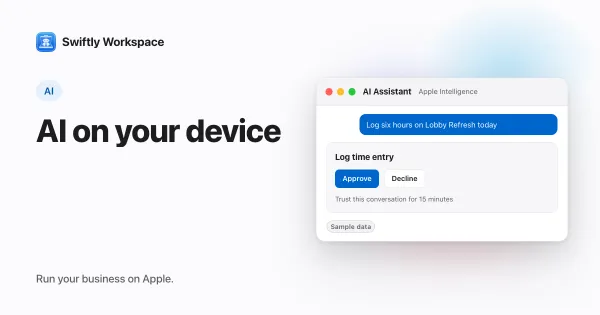
- A no-key option. On supported iPhone, iPad and Mac models, Apple Intelligence runs on the device without any key. More in Apple Intelligence for business.
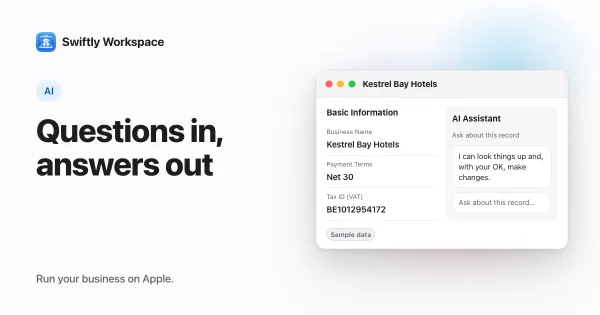
- You stay in charge of record changes. In a record's AI assistant, changes like adding, updating, finalizing or recording wait for your Yes.
Once a key is connected, Main Chat answers from your own data.
Questions to ask any vendor about bring your own key
- Where is my key stored, and is it encrypted at rest?
- Does the app call the provider from my device or from your server?
- Which of my data is sent with each request?
- Can I remove or replace the key at any time?
- What still works if I connect no key?
Our follow-ups go deeper: choosing an AI provider, adding a key on Mac and how stored AI keys are encrypted.
Frequently asked questions
What does BYOK mean in AI apps?
BYOK stands for bring your own key. The app uses an API key from your own account with an AI provider, so requests run on your account and you pay the provider directly.
Can I use my own OpenAI key in a business app?
In Swiftly, yes. Choose OpenAI in Capabilities, paste your API key and turn on Enable this provider. The same goes for providers such as Gemini, Mistral or Cohere.
What happens if I don't add a key?
Cloud AI stays off. Apple Intelligence still works on supported devices, because it runs on the device and needs no key.
Is my API key safe?
Swiftly stores the key encrypted with AES-GCM on its server, and AI requests go from that server to the provider. The iPhone, iPad and Mac apps don't call the provider themselves.
Can I switch providers later?
Yes. Connect another provider in Capabilities, and turn off Enable this provider for one you no longer use. You can turn it back on later.
Run your business on Apple.
Create your account on the web, then set up your workspace in the app on your iPhone, iPad or Mac.
Create your account