OpenAI, Gemini or Mistral? Choosing an AI provider
Choose an AI provider for business data by comparing four things: how it handles the data you send, how well its models do your everyday tasks, how it bills usage and how easy it is to switch. Then test two or three on real questions before you settle on one.
This guide is for owners and admins who are about to connect a provider to their business software. In Swiftly Workspace, providers you can connect include OpenAI, Gemini, Grok, Mistral, Cohere, DeepSeek and Perplexity, each with your company's own key, and Apple Intelligence runs on supported devices without one. If the key part is new to you, start with what bring your own key means.
What to compare between AI providers
| What to compare | Why it matters | Where to look |
|---|---|---|
| Data use | Whether what you send is stored, for how long, and whether it can be used to train models | The provider's API data-use or privacy terms |
| Where data is processed | Some industries and customers ask where their data goes | The provider's terms and data processing agreement |
| Task fit | A model that writes well may still stumble on tables or totals | Your own test questions, not a leaderboard |
| Billing model | Usage is usually billed per token, for what you send and what comes back | The provider's pricing page and usage dashboard |
| Limits | Rate limits and context size decide how much fits in one request | The provider's API documentation |
| Account control | Who owns the account, who can create keys, and how you replace one | The provider's console |
None of these rows has a single right answer. A firm that handles health or legal records weighs data use and location heavily. A small agency that mostly drafts emails and summaries may care more about writing quality and a predictable bill.
Start with the data you will send
Before comparing models, write down what your team will actually ask. "Which invoices are overdue?" sends invoice numbers, customer names and amounts to the provider. "Summarize this customer's history" sends notes and contact details.
In Swiftly, what reaches the provider is your message plus the records looked up to answer it, not your whole database. With Apple Intelligence, the request is handled on the device and no cloud provider sees it. What business data an AI assistant sends to the provider walks through this in more depth.
Then read each shortlisted provider's terms with three questions in mind:
- Is the data I send through the API used to train models, and can I switch that off?
- How long are requests and answers kept, and why?
- Does the provider offer a data processing agreement my business can sign?
Terms change, so note the date you read them and check again once a year. If a provider's answers don't fit your obligations, it drops off the list, however good its models are.
Match the provider to the work
Many business questions fall into a few kinds of task: finding and summarizing records, drafting a short text, and reading numbers from a table. Many current models handle all three well enough, so the differences show up in the details: how they phrase things, how they deal with a vague question, and how carefully they treat totals.
Public rankings measure general skills. Your own data tells you more. Pick five questions your team asks every week and use them as the test set for every provider you consider.
Test two providers side by side
- Connect two providers. An admin adds each key under Capabilities: see how to connect a provider key on Mac or on iPhone or iPad.
- Ask the same questions. Open two conversations and pick a different provider in each, using the menu below the message field. In that menu, Gemini and Grok appear as Google Gemini and xAI Grok.
- Compare the answers. Check facts against the records, not just tone. A confident answer with a wrong total is worse than a careful one.
- Compare the bill. After a week, open each provider's usage dashboard. Usage is billed to your own provider account; Swiftly adds no AI meter of its own.
Once a provider is on, its page in Capabilities lists the models it offers under Available Models, and Conversations Defaults lets you set a Default Model for chats. What AI costs when you bring your own key helps you turn a week of usage into a monthly estimate.
When on-device AI is the better choice
Some work doesn't need a cloud model at all. Apple Intelligence runs on supported iPhone, iPad and Mac models, handles the request on the device and needs no key. It suits short, private tasks such as drafting a few lines or logging an hour of work. Longer analysis over many records is where a cloud provider earns its place. What on-device Apple Intelligence can do covers the trade-offs.
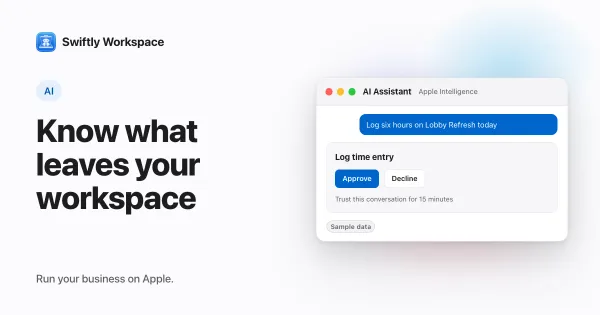
Whichever provider you pick, the rules of the app stay the same: in a record's assistant, changes like adding, updating, finalizing or recording wait for your Yes.
Frequently asked questions
Is ChatGPT safe for business data?
It depends on how you use it. When a business app uses your own OpenAI key, requests go through OpenAI's API, whose terms for business data are separate from the consumer ChatGPT app. Read those API terms, and keep personal accounts for personal use.
Which AI provider is cheapest for a small business?
There is no fixed answer. Prices differ by model, change often and depend on how much text you send and get back. Run your own test questions for a week on each candidate, then compare the real usage on each provider's dashboard.
Does it matter where an AI provider is based?
It can. Customers in some sectors, and data protection rules in many countries, ask where personal data is processed. Check each provider's terms and processing agreement, and ask your adviser if your sector has its own rules.
Should we use one provider for everything?
Not necessarily. Some teams keep one provider as the default and a second for tasks it handles better. Connecting both lets each person pick per conversation, and the provider bills follow what each one is used for.
Run your business on Apple.
Create your account on the web, then set up your workspace in the app on your iPhone, iPad or Mac.
Create your account