Apple Intelligence for business: what runs on your device
Apple Intelligence runs a language model on your own iPhone, iPad or Mac, so a prompt is processed on the device instead of by a cloud AI provider. For a business app, that means you can ask questions about your work, dictate notes and make small changes without an AI account or key.
What runs on the device in Swiftly Workspace
Swiftly uses Apple Intelligence on supported devices for these jobs:
| You want to | What happens on the device |
|---|---|
| Ask about your work | In Main Chat (Conversations in the Mac sidebar), the model looks up customers, projects or timesheets through the app and answers. |
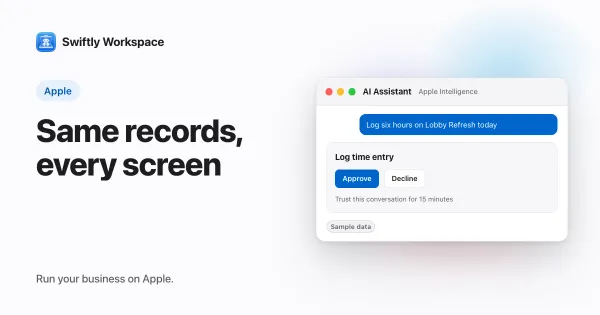
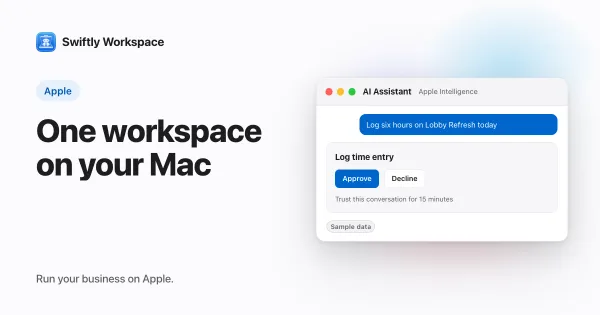
| Log time or update a record | The model prepares the change, and an approval card shows it to you. Nothing changes until you approve, unless you chose to trust that conversation for routine changes. |
| Dictate instead of type | With Voice Input you speak your message, and Transcript Polish cleans up the dictated text with Apple Intelligence before it is sent. |
Your customers, projects and timesheets stay in your Swiftly workspace. The model on your device reads them through the app when it needs them, and the prompt itself is handled on the device.
Approvals on the device
When Apple Intelligence wants to change something on the device, such as logging six hours on a project or updating a customer's details, the app shows you the change and waits. You approve or decline. If you are working through a batch of small changes, you can choose Trust this conversation for 15 minutes so routine changes, such as logging time or updating a customer, go ahead in that conversation without asking again. Submitting a timesheet, recording a payment or finalizing a document still asks every time.
Which devices support it
- iPhone 15 Pro or later
- iPad and Mac models with an Apple M1 chip or later
Apple Intelligence also has to be turned on in your device's Settings. If it is off, still downloading, or not supported on your device, Swiftly tells you so instead of failing quietly.
What on-device AI is good at, and where it stops
An on-device model is smaller than the large cloud models, and it works with a short context. Swiftly summarizes long conversations as they go so the thread keeps its meaning. In practice, on-device AI shines at short, concrete tasks: find a customer, log time, tidy up dictation, change one field. Long reports and big analyses are a better fit for larger models.
To see how the device fits with the rest of your setup, read about keeping iPhone, iPad and Mac in sync and business software for the Mac. If you are comparing private AI options, our explainer on Private Cloud Compute covers Apple's server-side approach. Step-by-step setup guides follow for iPhone and iPad and Mac.
Frequently asked questions
Is Apple Intelligence private enough for business data?
With on-device processing, the prompt and the answer are handled by the model on your iPhone, iPad or Mac and are not sent to a cloud AI provider. Your business records themselves stay in your Swiftly workspace. Our privacy policy describes how the workspace handles your data.
Which iPhone do I need for Apple Intelligence?
An iPhone 15 Pro or later. On iPad and Mac, you need a model with an Apple M1 chip or later, and Apple Intelligence has to be turned on in Settings.
Do I need an AI account or API key?
No. On-device AI uses the model that comes with your device, so there is no key to add and no AI bill.
Can on-device AI change my data without asking?
Not unless you allow it. On the device, a change such as logging time shows an approval card, and nothing is saved until you approve it. If you choose to trust one conversation for 15 minutes, routine changes in that conversation, such as logging time, go ahead without a card until the time is up. Recording a payment, submitting a timesheet and finalizing a document still ask every time.
Run your business on Apple.
Create your account on the web, then set up your workspace in the app on your iPhone, iPad or Mac.
Create your account