Harvest alternatives for teams that need CRM and projects
We make Swiftly Workspace, so read this with that in mind.
When your hours belong to projects and customers, look past a pure time tracker. Swiftly Workspace puts customers, structured projects, approved timesheets and invoices in one native app for iPhone, iPad and Mac. Toggl Track stays closest to Harvest, and Productive.io and Teamwork.com suit larger agency setups.
Harvest does one thing well: it tracks time and turns it into invoices. Teams usually start looking around when that is no longer enough. A manager wants to approve hours before they are billed, the project needs phases and a budget, or the customer record lives in a different tool from the timesheet. This roundup compares four alternatives on facts we could check on each vendor's own pages.
The options at a glance
| Tool | Apple apps | Timesheet approval | Pricing model |
|---|---|---|---|
| Harvest | iPhone app and a separate Mac app; no iPad version listed | On the Enterprise plan | Per seat; Free plan for one seat and two projects |
| Swiftly Workspace | Native Mac app, plus iPhone and iPad | Timesheet Approvals | Left out of this roundup |
| Toggl Track | One listing for iPhone, iPad, Mac and Apple Watch | On Premium and Enterprise | Per user; free for up to three users |
| Productive.io | iPhone and iPad; Mac version listed as "Designed for iPad" | Approval of billable hours on Professional | Per user per month; no free plan |
| Teamwork.com | iPhone and iPad; no Mac version listed | Not compared here | Per user per month, with a minimum; free for up to five users |
Checked 2026-10-18 on getharvest.com, toggl.com, productive.io, teamwork.com and the App Store: the Harvest pricing page, Harvest for iPhone and Harvest for Mac; the Toggl Track pricing page and its listing; the Productive.io pricing page and its listing; the Teamwork.com pricing page and its listing; and, checked 2026-10-25, Toggl Track's help on creating invoices. We leave prices out on every side.
Why teams outgrow Harvest, and why many don't
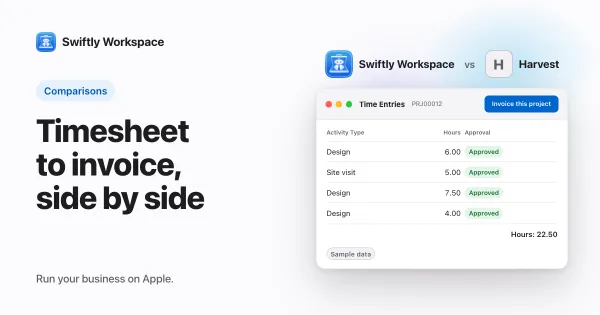
Harvest's iPhone app is listed on the App Store as Harvest: Track Time & Invoice, and there is a separate app for the Mac. It is priced per seat, has a Free plan for one seat and two projects, and offers a 30-day trial. Timesheet approvals and SAML single sign-on are listed on its Enterprise plan. For a freelancer or a small team that bills hours, that is often all they need. Our comparison of Swiftly Workspace and Harvest sets the two side by side.
Swiftly Workspace: hours inside the customer and the project
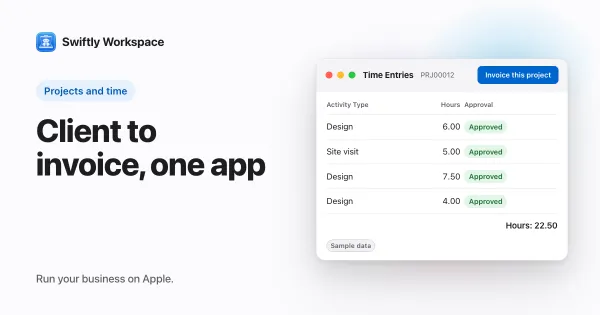
Swiftly is a native Mac app with an iPhone and iPad app. Hours sit inside a project, the project belongs to a customer, and the invoice comes from the hours someone approved.
- Projects as Phases, Work Packages and Tasks, with a budgeted amount.
- Timesheets that team members submit and approvers review in Timesheet Approvals. Our guide to how timesheet approval works covers the flows.
- With the right permission, a manager can create a team member's timesheet and fill in its entries for them.
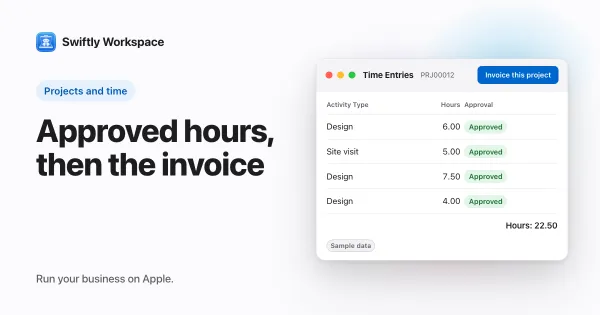
- Invoice this project turns approved billable hours that are not yet invoiced into a draft invoice, which a person finalizes.
- Customers with contacts and addresses, invoices, credit notes and proforma invoices, and customer payments allocated to the open invoice they pay.
- AI with your company's own key for a provider such as OpenAI, Gemini or Mistral, or Apple Intelligence on the device, where the text isn't sent to a cloud AI provider.
What Swiftly doesn't do: it has no estimates, it is not accounting software, it doesn't offer company single sign-on today, and it runs on Apple devices. If your agency is weighing one app for everything, our piece on running an agency in one app helps you think it through.
Toggl Track: the closest like-for-like swap
Toggl Track has one App Store listing that covers iPhone, iPad, Mac and Apple Watch. It is priced per user and free for up to three users. Its pricing page lists single sign-on on the Premium and Enterprise plans and timesheet approvals on Premium and Enterprise. Toggl Track can also create a PDF invoice from a report. Choose it when time tracking on every Apple device is what you need most. See how Swiftly compares with Toggl Track.
Productive.io: agency operations with budgets
Productive.io has an iPhone and iPad app, and the App Store lists its Mac version as "Designed for iPad". It is priced per user per month, has no free plan and offers a 14-day trial. Its pricing page lists an AI Assistant, approval of billable hours on the Professional plan, and enforced single sign-on on its top plan. It suits agencies that run many client projects at once. Our Productive.io comparison goes further.
Teamwork.com: client work at scale
Teamwork.com has an iPhone and iPad app, with no Mac version listed on the App Store. It is priced per user per month, with a minimum of three users on Basics and five on Accelerate, and it is free for up to five users, with a 14-day trial. Its pricing page lists client invoicing from logged time from the Accelerate plan, single sign-on on Enterprise, and AI teammates, included in paid plans for an introductory period. See how Swiftly compares with Teamwork.com.
What to look for in a Harvest alternative
- Approval where you need it. If hours must be checked before billing, find out which plan includes approvals, and who can approve.
- Structure under the hours. A flat list of projects is fine for a freelancer. A team with phases, budgets and several people per project needs more.
- The customer side. If you keep customer details in a separate CRM, count how often you copy them across. That is the work an all-in-one tool removes.
- Devices. Check the App Store listing for each device your team uses: iPhone, iPad and Mac are not always covered by the same app.
- Leaving. Make sure you can export your clients, projects and hours to CSV before you commit to any tool, including the next one.
Running a fair trial
Ask two or three people to log a normal week in each shortlisted tool, then have a manager approve it and bill it. Time how long the approval and the invoice take, not just the logging. A tracker that is quick to start can still cost an hour at the end of the month.
Frequently asked questions
What is the closest alternative to Harvest?
For pure time tracking, Toggl Track is the closest swap: one listing covers iPhone, iPad, Mac and Apple Watch. If you also want customers, projects, approved timesheets and invoices on the customer record, look at Swiftly Workspace.
Which Harvest alternative has an iPad app?
Swiftly Workspace has one app for iPhone and iPad and a native Mac app. Toggl Track, Productive.io and Teamwork.com also list iPad on the App Store (checked 2026-10-18).
Do I need timesheet approval if my team is small?
Often not. Approval earns its keep when someone other than the person who logged the hours is accountable for the invoice, or when a budget has to hold. A team of two who bill their own time can usually skip it.
Should time tracking and invoicing live in the same app?
When the person who logs the hours is also the person who bills them, a separate tracker and invoicing tool work fine. Once a manager approves hours, a project carries a budget and an accountant waits for the invoice, keeping the hours and the invoice in one app saves the copying in between. Swiftly Workspace is built for that second case.
Run your business on Apple.
Create your account on the web, then set up your workspace in the app on your iPhone, iPad or Mac.
Create your account