Running a small agency on one app: clients, time, invoices
A small agency can run on one app when clients, projects, timesheets and invoices share the same records. Hours are logged against a client's project approved and turned into a draft invoice without retyping anything. Swiftly Workspace is built around that loop on iPhone, iPad and Mac.
Where agency tools usually break
Many agencies start with a handful of tools that each do one job well: a contact list, a project board, a time tracker, an invoicing app. The trouble sits in the gaps between them.
- The client exists four times. A new billing address has to be changed in every tool, and one of them is always missed.
- Hours travel by export. Time is exported at the end of the month, cleaned up in a spreadsheet and retyped as invoice lines.
- Nobody checks the hours before billing. Or everybody does, by email, with no record of who agreed to what.
The one-app loop for an agency
| Step | What happens | Who does it |
|---|---|---|
| 1. Client | The client is created once, with addresses and contacts | Account lead |
| 2. Project | A project for that client, split into phases, work packages and tasks | Project lead |
| 3. Time | The team logs hours on their timesheets and submits them | Everyone |
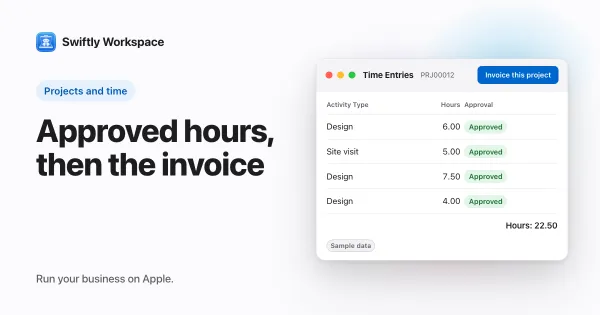
| 4. Approval | The project's approvers check and approve the hours | Project lead |
| 5. Invoice | Approved hours become a draft invoice, which a person finalizes | Finance |
| 6. Payment | The payment is recorded and allocated to the invoice | Finance |
Every step reads from the step before it. That is the whole point: the client on the invoice is the client on the project, and the hours on the invoice are the hours somebody approved.
How it works in Swiftly Workspace
- Clients. Customers carry their addresses and contacts, and every project, invoice and payment points at the same customer record.
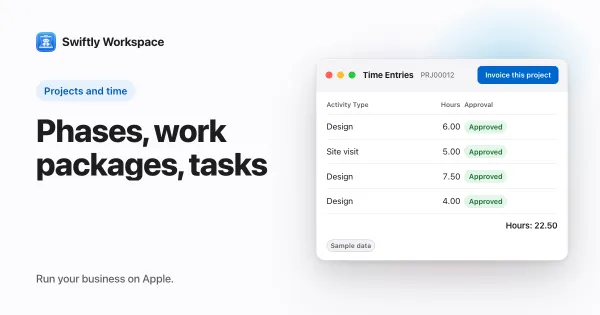
- Projects. A project is organized as Phases, Work Packages and Tasks, so you can plan a website build as discovery, design and delivery, and log time at the level that makes sense.
- Timesheets. Each person fills in a timesheet and submits it. On each project, members marked as a Required timesheet approver approve the submitted hours. On a Mac, admins with approval rights find submitted hours under Projects, then Timesheet Approvals; on iPhone and iPad, people with approval rights use Projects, then Approval Queue.
- Invoices. In the project, Invoice this project gathers the approved billable hours that haven't been invoiced yet into a draft invoice for the project's customer. Every invoice starts as a draft, and a person checks it and finalizes it.
- Payments. Customer payments are recorded and allocated to the invoices they pay, so you can see what each client still owes.
- Freelancers and suppliers. Vendors live in the same workspace, with their own vendor documents and vendor payments.
- Roles. Roles decide who can see and change client, project and invoice data, which matters once a freelancer joins the team.
If a part of the app doesn't apply to you, an admin can switch that module off under Administration, then Modules, and it disappears from everyone's menu.
For the approval step in detail, read how a timesheet approval workflow works. For the project structure itself, see phases, work packages and tasks for client work.
What changes in a typical month
The month-end routine is where one app pays off. Instead of exporting time, cleaning it and building invoices by hand, the routine becomes a short checklist:
- Remind the team to submit their timesheets.
- Approvers clear the submitted hours for their projects.
- For each project you bill on time, create the draft invoice from the approved hours.
- Read each draft as the client will, then finalize it.
- Record payments as they come in.
The checks don't go away; they move to the place where the information already is. A project lead approves hours they actually saw being worked, and finance reads an invoice built from those hours.
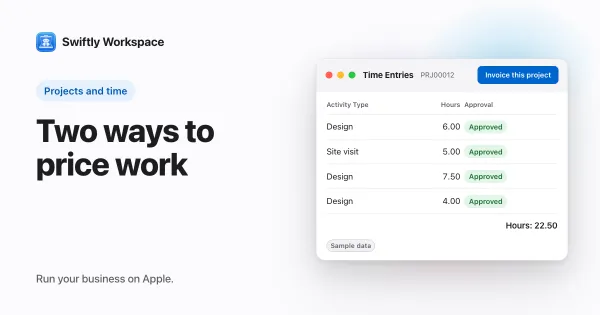
How you price the work changes how much of this you use. A time and materials client is billed from approved hours; a fixed-fee client is billed on the agreed schedule, while the hours still show whether the fee was right. Our guide to fixed fee vs time and materials covers that choice, and billable vs non-billable hours helps you decide which hours count.
When separate tools still make sense
One app is not the right answer for every agency. If you run a large team with detailed capacity planning across dozens of people, a dedicated planning tool may serve you better. If your accountant runs your books in their own package, you will still hand over invoice data at the end of each period. And if you never bill by the hour, the timesheet half of the loop matters less.
A side-by-side look at an agency management suite built for larger teams helps you weigh that up. For the customer side of the same argument, see why a CRM with invoicing beats two separate tools.
Frequently asked questions
What is agency management software?
It is software that connects the work an agency does for clients with the money it earns from them: clients, projects, time tracking and invoicing in one place, sometimes with planning and reporting on top.
Can freelancers log time in the same app?
Yes. A freelancer can be a member of your workspace with a role that limits what they see, fill in their own timesheet and submit it for approval like anyone else on the project.
Do approved hours become an invoice by themselves?
No. Someone chooses Invoice this project, which creates a draft. A person reviews the draft and finalizes it before it counts as an invoice.
Can I run the agency from my phone?
Much of it, yes. Swiftly runs on iPhone and iPad as well as on the Mac, with the same clients, projects and invoices on each. Many people still prefer the Mac for month-end work with several windows open side by side.
Run your business on Apple.
Create your account on the web, then set up your workspace in the app on your iPhone, iPad or Mac.
Create your account