Swiftly Workspace vs Productive.io: an honest comparison
We make Swiftly Workspace, so read this with that in mind.
Productive.io suits agencies that want agency software with approval of billable hours and PEPPOL e-invoice sending, priced per user. Swiftly Workspace suits service teams that want customers, structured projects, approved timesheets and invoices in one native app for Mac, iPhone and iPad.
An agency's month runs along one line: a client, a project, the hours people log, and the invoice at the end. Both tools follow it; where they part is in how much sits around it. Productive is built as agency software, with plans that add more as the agency grows. Swiftly keeps the line short and puts it on the customer record, in an app made for Apple devices.
Swiftly Workspace and Productive.io at a glance
| Productive.io | Swiftly Workspace | |
|---|---|---|
| Apple apps | iPhone and iPad app; the App Store lists the Mac version as "Designed for iPad" | Native Mac app, plus iPhone and iPad |
| Approving hours | Approval of billable hours on the Professional plan | Timesheets reviewed in Timesheet Approvals |
| PEPPOL e-invoices | Sending from Belgium, Luxembourg, the Netherlands, Norway and Sweden | Not offered today |
| AI | An AI Assistant | Your own key for a provider such as OpenAI, Gemini or Mistral, or Apple Intelligence on the device |
| Single sign-on | Enforced single sign-on or two-factor sign-in on the top plan | Not offered today |
| Pricing model | Per user per month; no free plan; 14-day trial | Left out of this comparison |
Productive.io facts checked 2026-10-18 on productive.io and the App Store: the pricing page, Productive's App Store listing, and the help center articles on sending invoices via PEPPOL and e-invoicing. We leave prices out of this comparison on both sides.
What Productive.io does well
Productive describes itself on the App Store as agency software, and its pricing page reads like one: plans that grow with the agency, approval of billable hours on the Professional plan, an AI Assistant, and the option to enforce single sign-on or two-factor sign-in on the top plan. It is priced per user per month, has no free plan and offers a 14-day trial, which is enough time to run a real project through it.
Productive also handles e-invoicing. Its help center describes sending invoices over PEPPOL from Belgium, Luxembourg, the Netherlands, Norway and Sweden. For an agency in one of those countries whose clients expect e-invoices, that matters. Our explainer on what PEPPOL is covers the basics.
On Apple devices there is an iPhone and iPad app, and the App Store lists its Mac version as "Designed for iPad", Apple's label for the iPad app running on a Mac with Apple silicon, with the note that it isn't verified for macOS.
Where Swiftly Workspace is different
Swiftly is for service teams that want the client, the work and the money on one record, and an app that feels at home on each Apple device. Our piece on running a small agency on one app explains the thinking.
- Projects with a budget in hours. Projects break down into Phases, Work Packages and Tasks. Each work package has Estimated Hours and an Hourly Rate, which give its Budgeted Amount.
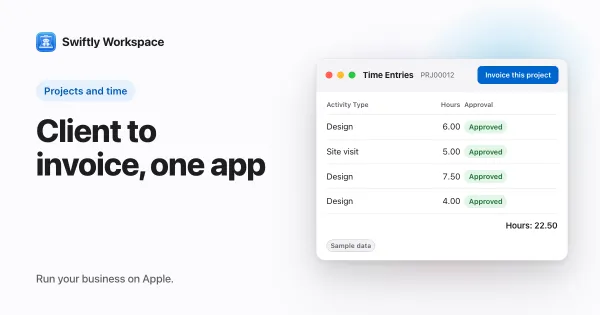
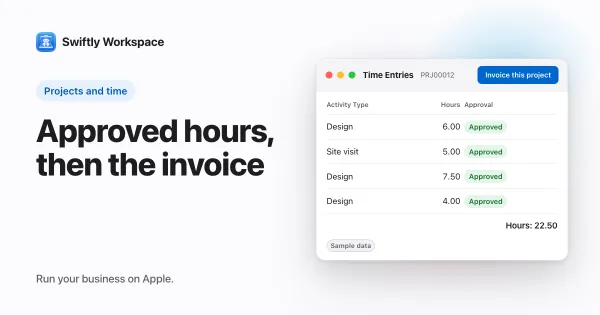
- Approval before it counts. Team members submit timesheets and approvers review them in Timesheet Approvals. Once a timesheet is approved, its hours count toward the work package's Actual Hours; hours not yet approved don't. More in how timesheet approval works.
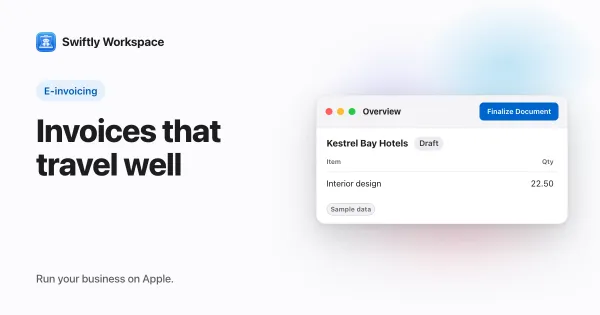
- From hours to invoice. Invoice this project turns approved billable hours into a draft invoice. Invoices, credit notes and proforma invoices are drafts a person finalizes, in the Modern, Classic or Receipt layout, and a customer payment is allocated to the open invoice it pays.
- Both sides of the books. Customers with contacts and addresses, plus vendors and their bills, in the same workspace. Roles with field-level permissions decide who sees what.
- AI on your terms. Use your company's own key for a provider such as OpenAI, Gemini or Mistral, or Apple Intelligence on the device, where the text isn't sent to a cloud AI provider.
Keeping a project on budget in each tool
Budget questions are where agencies feel the difference between tools most. In Swiftly, the budget lives on the work package, as estimated hours times a rate, and the actual hours come from approved timesheets. That keeps the number honest: hours someone logged but nobody approved don't make a project look further along than it is. A work package's details show those hours under Actuals (from Timesheets).
Whatever tool you choose, the habits are the same: set the budget where the work is planned, compare approved hours with the estimate, and check at fixed moments rather than at the end. Our guide to project budget tracking walks through when to look and what to watch.
Choose Productive.io if
- You want agency software with plans that add more as the agency grows.
- You send invoices from Belgium, Luxembourg, the Netherlands, Norway or Sweden and your clients expect PEPPOL e-invoices.
- Your IT policy needs enforced single sign-on, and the top plan fits.
Choose Swiftly Workspace if
- You want customers, projects, approved hours and invoices on one record, with less to configure.
- Hours should count against the budget once a manager has approved them.
- You also keep vendors and their bills, and want them in the same place.
- Your team works on Macs, iPhones and iPads and wants a native app on each.
- You want to pick your own AI provider, or keep AI on the device with Apple Intelligence.
What Swiftly Workspace doesn't do
Swiftly has no resource planning and no estimates, and it doesn't send or receive PEPPOL e-invoices today. It doesn't offer company single sign-on today, it is not accounting software, and it runs on Apple devices. If you also weigh Teamwork.com, our Swiftly Workspace and Teamwork.com comparison covers it, and our roundup of Productive.io alternatives for small agencies lines up more options.
What to test in a trial
Choose a client you bill every month and rebuild their current project in both tools, with its phases and an estimate on the main piece of work. Ask a colleague to log three days of time and submit it, and check whether the spent figure moves before or after you approve it. Then create the invoice and see which details came across from the project and which you had to type.
That one project tells you more than a feature list. To start Swiftly with your own data, Swiftly Workspace imports customers and their contacts, vendors, items, open invoices, payments and projects from CSV or XLSX; bring across invoices that are still fully unpaid.
Frequently asked questions
Does Productive.io have a Mac app?
Productive.io has an iPhone and iPad app, and the App Store lists its Mac version as "Designed for iPad" (checked 2026-10-18). Swiftly Workspace has a native Mac app alongside its iPhone and iPad app.
Can Productive.io send PEPPOL e-invoices?
Yes. Productive's help center describes sending invoices over PEPPOL from Belgium, Luxembourg, the Netherlands, Norway and Sweden (checked 2026-10-18). Swiftly Workspace doesn't send or receive PEPPOL e-invoices today.
Which Productive.io plan includes approval of billable hours?
Productive's pricing page lists approval of billable hours on the Professional plan (checked 2026-10-18). In Swiftly, approvers review submitted timesheets in Timesheet Approvals.
Do unapproved hours count against a project budget in Swiftly Workspace?
No. A work package's actual hours come from approved timesheets, so time that is still waiting for approval doesn't count yet.
Run your business on Apple.
Create your account on the web, then set up your workspace in the app on your iPhone, iPad or Mac.