Swiftly Workspace vs Scoro: an honest comparison
We make Swiftly Workspace, so read this with that in mind.
Scoro suits professional services firms of five or more that want quotes, projects and invoicing in one platform, priced per user. Swiftly Workspace suits smaller service teams that want customers, structured projects, approved timesheets and invoices in one native app for Mac, iPhone and iPad.
Consultancies, agencies and studios tend to look at both for the same reason: the work is sold by the hour or by the project, and the money depends on getting hours from the team to the invoice without losing any. Scoro starts that story earlier, at the quote. Swiftly starts it at the customer and the project, and keeps it short.
Swiftly Workspace and Scoro at a glance
| Scoro | Swiftly Workspace | |
|---|---|---|
| Built around | Plans sold as combinations, such as Quote to Cash and Projects & Resources | Customers, projects, timesheets and invoices in one workspace |
| Apple apps | iPhone and iPad app; the App Store lists the Mac version as "Designed for iPad"; features under More open a mobile version of the Scoro site | Native Mac app, plus iPhone and iPad |
| AI | Scoro AI, which runs on AI credits | Your own key for a provider such as OpenAI, Gemini or Mistral, or Apple Intelligence on the device |
| Single sign-on | Single sign-on on the Enterprise plan; SCIM user provisioning | Not offered today |
| Pricing model | Per user per month; minimum of five seats; 14-day trial | Left out of this comparison |
Scoro facts checked 2026-10-18 on scoro.com and the App Store: the pricing page, Scoro's App Store listing and the help articles on single sign-on and SCIM user provisioning (re-opened 2026-10-25). We leave prices out of this comparison on both sides.
What Scoro does well
Scoro covers a lot of ground for a firm that sells its time. Plans are sold as combinations, such as Time-billing, Projects & Resources, Quote to Cash and End-to-end, so a firm can pick the part of the work it wants to run in Scoro. Its invoicing covers credit notes, recurring billing and reminders, and its estimates cover quotes. Scoro AI runs on AI credits.
For firms with an IT team, Scoro offers single sign-on on its Enterprise plan, and SCIM user provisioning. Pricing is per user per month with a minimum of five seats, and the 14-day trial gives you time to try it on real work. If you need e-invoices, ask Scoro how it handles PEPPOL in your country.
On Apple devices there is an iPhone and iPad app, and the App Store lists its Mac version as "Designed for iPad", Apple's label for the iPad app running on a Mac with Apple silicon. The listing also says that features under the More section open a mobile version of your Scoro site.
Where Swiftly Workspace is different
Swiftly is built for the part of the month that pays the bills: the hours on a project and the invoice that follows. Our piece on running a small agency on one app explains why that is enough for many small firms.
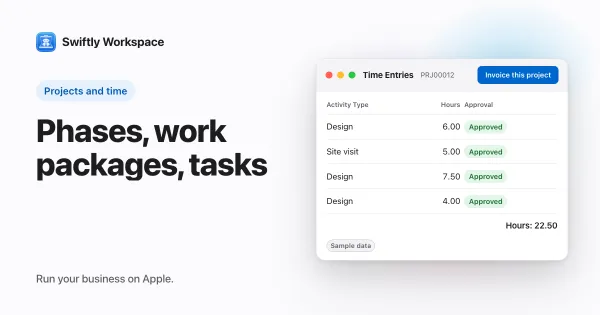
- Projects shaped like the work. Phases, Work Packages and Tasks, and each project chooses whether time is logged on the phase, the work package or the task. See how to structure a project in phases.
- A budget that counts approved hours. Each work package has Estimated Hours and an Hourly Rate, which give its Budgeted Amount, and approved hours count toward its Actual Hours.
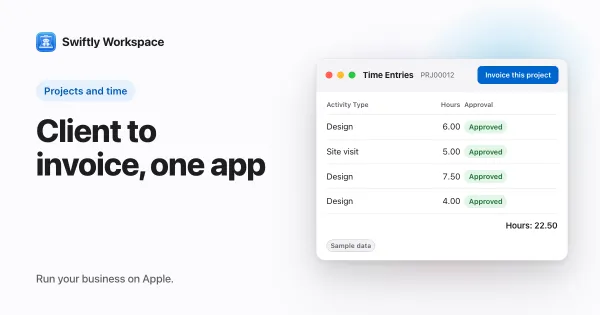
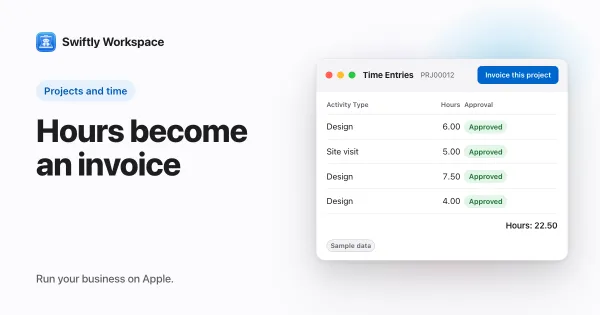
- Approval, then the invoice. Team members submit timesheets, approvers review them in Timesheet Approvals, and Invoice this project turns approved billable hours into a draft invoice. More in invoicing a project from approved hours.
- Customers and vendors together. Customers with contacts and addresses; invoices, credit notes and proforma invoices, each a draft a person finalizes; payments allocated to the open invoice they pay; and vendors with their bills.
- Native on Mac, iPhone and iPad. A native Mac app, plus one native app for iPhone and iPad, with your customers, projects and invoices in each.
- AI with your own key. Use your company's own key for a provider such as OpenAI, Gemini or Mistral, or Apple Intelligence on the device.
Budgets in a firm that sells time
In professional services, a project budget is mostly a promise about hours. The useful question is how many of the promised hours are gone, and whether the work done matches. Swiftly answers the hours half from approved timesheets, so time nobody has checked yet doesn't move the number. Our guide to project budget tracking covers when to look and which thresholds help.
Scoro approaches the same question from a wider angle, with resources and quotes in the picture. If your firm plans people weeks ahead and prices every job from a quote, that wider view is worth paying attention to.
Choose Scoro if
- Your firm has five or more people and wants quotes, projects and invoicing in one platform.
- You want to choose which parts of the work to run in it, through its plan combinations.
- You need single sign-on on its Enterprise plan, and SCIM user provisioning.
Choose Swiftly Workspace if
- The heart of your month is hours on projects and the invoices that follow.
- Hours should be approved before they count against a budget or reach an invoice.
- You want customers, vendors, projects and invoices on the same records.
- Your team works on Macs, iPhones and iPads and wants a native app on each.
- You want to pick your own AI provider, or use Apple Intelligence on the device.
What Swiftly Workspace doesn't do
Swiftly has no estimates and no resource planning. It doesn't send or receive PEPPOL e-invoices today, doesn't offer company single sign-on today, is not accounting software, and runs on Apple devices. If your process starts with a quote and a resource plan, Scoro is built for that, and our roundup of Scoro alternatives for professional services firms shows more tools. If you are also looking at agency software, see our Productive.io comparison.
What to test in a trial
- Take a project you delivered recently and set it up in both tools, with its phases and an estimate for the main piece of work.
- Log a week of hours for two people, approve one week and leave the other waiting.
- Check what each tool shows as spent, then create the invoice and count the fields you typed by hand.
- Do the same on an iPhone or iPad, and note which screens feel part of the app.
- Bring your own data. Swiftly Workspace imports customers and their contacts, vendors, items, open invoices, payments and projects from CSV or XLSX; bring across invoices that are still fully unpaid.
Frequently asked questions
Does Scoro have a minimum number of seats?
Yes. Scoro's pricing page sets a minimum of five seats on its plans, priced per user per month, with a 14-day trial (checked 2026-10-18).
What does the Scoro app cover on iPhone and iPad?
Scoro has an iPhone and iPad app, and its App Store listing says that features under the More section open a mobile version of your Scoro site, so part of the work happens in the app and part in a web view (checked 2026-10-18). Swiftly has a native app for iPhone and iPad and a separate native Mac app.
Does Scoro offer single sign-on?
Scoro's help center puts single sign-on on its Enterprise plan, and SCIM user provisioning (checked 2026-10-25). Swiftly Workspace doesn't offer company single sign-on today.
Run your business on Apple.
Create your account on the web, then set up your workspace in the app on your iPhone, iPad or Mac.