Asking about your business from the car with CarPlay
With CarPlay you can ask Swiftly Workspace about your business while driving: tap Talk on the car's screen, ask your question, and the answer is read aloud. It is Main Chat by voice, so it answers from your own customers, invoices, projects and hours.
The drive to a client is often the last quiet moment before the meeting. It is also when you remember what you meant to check: is their last invoice paid, how many hours went into their project this month. CarPlay lets you ask without picking up the phone, and keeps the screen out of it.
How a question works in the car
- Open Swiftly Workspace on the car's screen. It shows a single voice screen that reads Tap Talk, then speak.
- Tap Talk and ask. The screen shows Listening… and the button changes to Stop. Speak your question as you would to a colleague.
- Tap Stop. Your question is sent, and the screen shows Thinking… while the assistant looks up the answer.
- Listen. The screen shows Speaking… and the answer is read aloud through the car's speakers.
The answer is never shown as text on the car's screen. That is deliberate: an app built for talking in the car should not give you something to read while you drive. If you want to ask something else while an answer is being read, tap Talk again; the reading stops so the two don't talk over each other.
Questions that suit the road
The car uses the same assistant as Conversations on your iPhone, so it looks up the same records: customers and contacts, invoices and payments, projects and timesheets. Questions that work well on the road are short and have a short answer:
| You ask | A good spoken answer |
|---|---|
| "Has Lindenhof paid their last invoice?" | Yes or no, with the amount still open |
| "Who is our contact at Lindqvist Design?" | A name and a role |
| "How many hours did we log on the Harbor Street project this week?" | One number |
| "How much is overdue in total?" | One amount and the number of invoices |
Questions that need a table or a long report are better asked at a screen. More ideas for good questions are in prompts for a service business, and asking questions about your own data explains how the assistant finds its answers.
Which AI answers, and where your words go
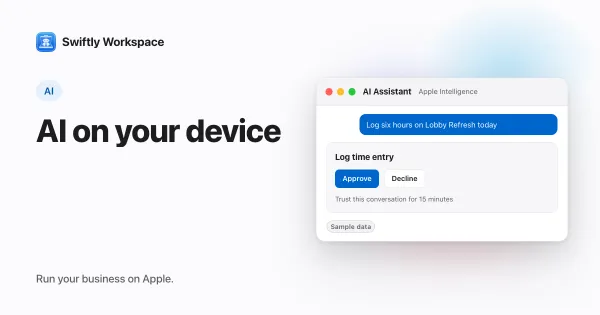
In the car, Swiftly uses the AI you last picked in Conversations on that iPhone. That is either a cloud provider your company connected with its own key, such as OpenAI or Mistral, or Apple Intelligence on the iPhone. With a cloud provider, your question and the records looked up to answer it go to that provider. With Apple Intelligence, the answer is generated on the iPhone and the text isn't sent to a cloud AI provider; on-device AI with Apple Intelligence explains which iPhones support it.
Your speech is recognized on the iPhone. If your company allows Transcript Polish, Apple Intelligence tidies the transcript before it is sent, as it does when you dictate on the iPhone itself. Talking to your business app covers dictation and spoken replies in more detail.
Questions asked in the car are kept in a conversation with CarPlay and the date in its title, so you can reread an answer in Conversations once you have parked.
Keep your eyes on the road
Voice makes a question quicker to ask; it does not make driving less demanding. A few habits help:
- Ask before you set off, or at a stop, when a question is likely to need a follow-up.
- Keep it to questions. Changing a customer or an invoice is something to do at a screen, where you can see exactly what changes. In a record's own assistant, changes like adding, updating, finalizing or recording wait for your Yes.
- Let it wait. If traffic needs your attention, ignore the answer. It stays in the conversation for later.
- Follow the rules where you drive. Laws on using phones and in-car systems differ by country and region.
What you need
- An iPhone that is signed in. CarPlay uses the account on the iPhone. If nobody is signed in, the car's screen asks you to sign in on the iPhone.
- A recent iOS. CarPlay support for voice-based conversation apps arrived with iOS 26.4, so the iPhone needs that version or later.
- Your admin's go-ahead. Under Administration, then Voice, the CarPlay switch allows Main Chat voice features in the car. It is on for a new company. If it is off, the car shows Voice in CarPlay is disabled by your admin.
- Spoken replies switched on. In the car, answers are read aloud when your company allows Voice Output, the same switch that controls spoken replies on the iPhone.
- Microphone access. If the microphone or speech recognition is not available, the car shows Open Swiftly on iPhone to enable voice. Open the app on the iPhone once and allow access there.
Using the app on the iPhone itself between stops? Your business on iPhone covers what fits a phone. And for changes to one customer or invoice, the assistant inside a record is the place to make them.
Frequently asked questions
Can I use an AI assistant in CarPlay?
Yes, in apps built for CarPlay's voice-based conversation category, which needs iOS 26.4 or later. In Swiftly you tap Talk on the car's screen, ask about your business and hear the answer.
Do I have to say a wake word?
No. There is no wake word: you start each question by tapping Talk on the car's screen, and tap Stop when you have finished speaking.
Why doesn't Swiftly answer out loud in the car?
Spoken answers depend on your company's Voice Output setting. Ask an admin to check Administration, then Voice. The answer is still saved in the conversation, so you can read it on the iPhone later.
Does it work without a cloud AI provider?
Yes, if your iPhone supports Apple Intelligence and you picked it in Conversations. Without one, the car needs a cloud provider your company connected with its own key.
Run your business on Apple.
Create your account on the web, then set up your workspace in the app on your iPhone, iPad or Mac.
Create your account