Swiftly Workspace vs Pipedrive: an honest comparison
We make Swiftly Workspace, so read this with that in mind.
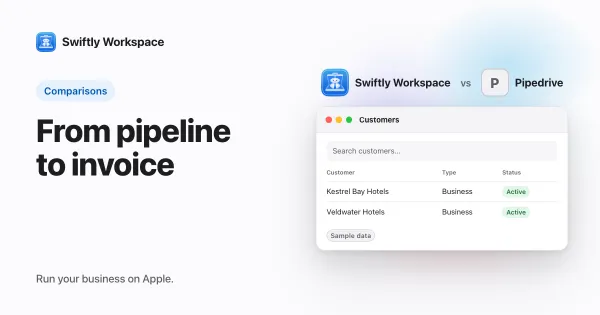
Pipedrive suits sales teams that want a focused CRM for winning deals, with single sign-on on every plan. Swiftly Workspace suits service businesses whose work continues after the deal: customers, projects, approved timesheets and invoices in one native app for iPhone, iPad and Mac.
The two tools meet at the customer record and then head in different directions. Pipedrive is built for the stretch before a customer says yes. Swiftly is built for what follows: planning the job, logging the hours, sending the invoice and recording the payment. If you are choosing between them, the useful question is which half of that story fills most of your week.
Swiftly Workspace and Pipedrive at a glance
| Pipedrive | Swiftly Workspace | |
|---|---|---|
| Built for | Sales teams working their deals | Service businesses billing client work |
| Apple apps | iPhone and iPad app; the Mac version is listed as "Designed for iPad" | Native Mac app, plus one app for iPhone and iPad |
| Projects | Included on Premium and the top plan; a paid add-on on Lite and Growth | Phases, Work Packages and Tasks with a budgeted amount |
| AI | AI report creation on all plans; AI email writing and summaries on Premium and the top plan | Your own key for a provider such as OpenAI, Gemini or Mistral, or Apple Intelligence on the device |
| Single sign-on | On all plans | Not offered today |
| Pricing model | Per seat | Left out of this comparison |
Pipedrive facts checked 2026-10-18 on support.pipedrive.com and the App Store: the plan features, Projects billing help and App Store listing. Pipedrive's pricing page could not be opened during our check, so we leave prices and trial terms out, and we leave ours out too.
What Pipedrive does well
Pipedrive keeps its focus on selling, and its plans are easy to follow: four tiers, from Lite and Growth to Premium and the top plan, each priced per seat. Single sign-on is on every plan, which is generous for a team that already signs in to everything through one identity provider. AI report creation is on all plans, and AI email writing and summaries come with Premium and the plan above it.
When a won deal turns into work, Pipedrive offers Projects: included on Premium and the top plan, and a paid add-on on Lite and Growth. On Apple devices it has an iPhone and iPad app, and the App Store lists its Mac version as "Designed for iPad". Our guide to what that App Store label means on a Mac explains the difference. Invoicing wasn't part of what we could check on Pipedrive's pages, so if you need it, ask Pipedrive how it handles invoices today.
Where Swiftly Workspace is different
Swiftly starts where the deal ends. The customer record carries the contacts, the projects, the invoices and the payments, so the person who bills sees the same history as the person who sold. We explain why that matters in a CRM with invoicing versus two separate tools.
- Projects with structure. Each project breaks down into Phases, Work Packages and Tasks, with a budgeted amount.
- Hours that are checked before billing. Team members submit their timesheets, and approvers review them in Timesheet Approvals.
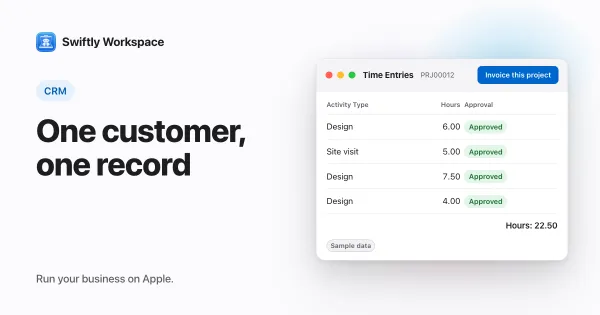
- From approved hours to a draft invoice. Invoice this project turns approved billable hours that are not yet invoiced into a draft invoice. See how invoicing a project works.
- Money on the customer. Invoices, credit notes and proforma invoices, each a draft a person finalizes, with customer payments allocated to the open invoice they pay. Vendors and their bills sit in the same workspace.
- Fields you choose. Make a field visible, required or give it a default value, set roles with field-level permissions, and see a change history on each record. More in configuring your forms.
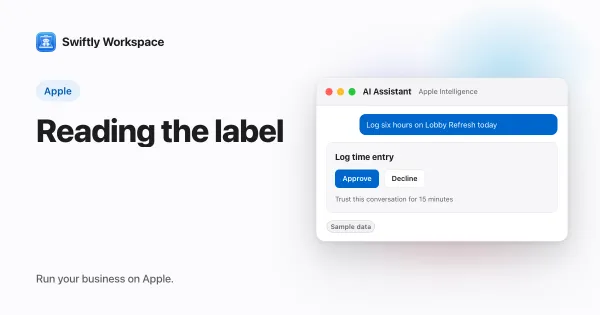
- AI on your terms. Your company's own key for a provider such as OpenAI, Gemini or Mistral, or Apple Intelligence on the device, where the text isn't sent to a cloud AI provider.
One customer, from the opening call to the paid invoice
Following one customer through both tools shows where each one earns its place.
- Winning the work. This is Pipedrive's home ground: a sales team tracking its deals and following up. Swiftly keeps the customer and contacts, but it is not built around a sales process.
- Planning the job. In Pipedrive, Projects is included on the higher plans or added on the lower ones. In Swiftly, the project and its phases sit on the customer from the start.
- Logging and approving hours. In Swiftly, the team logs time on weekly timesheets, and an approver reviews them before anything is billed.
- Invoicing. In Swiftly, the approved hours become a draft invoice that a person checks and finalizes. With Pipedrive, check how invoices fit your setup.
- Getting paid. In Swiftly, the payment is allocated to the invoice it pays, on the same customer record.
If most of your effort goes into step one, Pipedrive is the stronger tool. If steps two to five fill your month, Swiftly covers them in one place.
Choose Pipedrive if
- Your team spends its day finding and closing deals.
- You want single sign-on on every plan, including the entry plan.
- AI help with sales emails and reports matters to you.
- Some of your team works outside Apple devices.
Choose Swiftly Workspace if
- Your revenue comes from billed client work rather than a large sales funnel.
- Hours need a manager's approval before they are invoiced.
- You want projects, invoices, credit notes and payments on the same customer record.
- You want a native app on the Mac, iPhone and iPad, and a choice of AI provider or AI on the device.
What Swiftly Workspace doesn't do
Swiftly has no estimates, no email sync and no mail client, so sales follow-ups happen in your own mail app. It doesn't offer company single sign-on today, and it is not accounting software: your accountant keeps the books in their own tools. It runs on Apple devices. If your team's day is mostly prospecting, a sales CRM will serve you better, and plenty of businesses use one for sales and another tool for delivery.
For the bigger picture, read our CRM guide for small service businesses, see our roundup of Pipedrive alternatives with invoicing built in, or read how we compare with a CRM that grows into a marketing platform.
What to test in a trial
Pick a customer you won last month and rebuild their story in each tool, from the deal to the paid invoice. Note every point where you copied a name, an address or an amount from one screen to another. Then ask the person who sends your invoices to finish the job without help. To try this in Swiftly with your own records, Swiftly Workspace imports customers and their contacts, vendors, items, open invoices, payments and projects from CSV or XLSX; bring across invoices that are still fully unpaid, and settle partly paid ones in the old tool.
Frequently asked questions
Is there a Pipedrive app for Mac?
Pipedrive has an iPhone and iPad app, and the App Store lists its Mac version as "Designed for iPad" (checked 2026-10-18). Swiftly Workspace has a native Mac app alongside its iPhone and iPad app.
Which Pipedrive plans include single sign-on?
Pipedrive's plan features page listed single sign-on on all plans when we checked on 2026-10-18. Swiftly Workspace doesn't offer company single sign-on today.
Can Swiftly Workspace replace Pipedrive for a sales team?
For a team whose main job is selling, probably not. Swiftly keeps customers and contacts, but it is built for the work after the sale: projects, approved timesheets, invoices and payments. Many service businesses find that half is where their time goes.
Do I need a higher Pipedrive plan for AI email writing?
Pipedrive's plan features page listed AI email writing and summaries on Premium and the plan above it, and AI report creation on all plans (checked 2026-10-18). In Swiftly, cloud AI runs on your company's own provider key, or on the device with Apple Intelligence.
Run your business on Apple.
Create your account on the web, then set up your workspace in the app on your iPhone, iPad or Mac.