CRM for small service businesses: just the essentials
A small service business needs a CRM that keeps one clean record per customer: who they are, who you talk to there, where to send invoices, and what you have billed them. Pipelines, lead scoring and campaign tools can wait until you have a sales team that will use them.
Agencies, consultants, studios and trades businesses tend to win work through referrals and repeat clients, not through a large funnel of cold leads. Their CRM should make the next invoice and the next conversation easier, not create a second job of data entry.
The essentials, in order of importance
| Essential | Why it matters | What good looks like |
|---|---|---|
| One record per customer | Every other feature reads from it | No duplicates; one place to change an address |
| Contacts | You deal with people, not companies | Several contacts per customer, each with a role |
| Addresses | Invoices and visits go to different places | Separate billing and site addresses |
| Billing details | Wrong terms mean late payments | Payment terms and VAT details on the record |
| Invoices and payments | You should see who owes what | Open invoices visible on the customer |
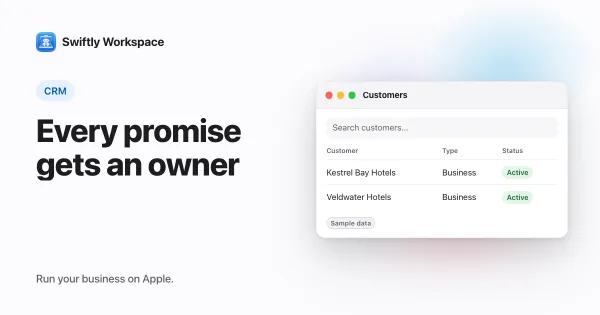
| Follow-ups | Promises get forgotten | A short list of next steps with an owner |
If a CRM covers these six well, it is enough for many small service businesses. Everything else is an extra to weigh against the time it costs.
What you can safely skip at the start
- Deal pipelines with ten stages. With a dozen open conversations, a short list does the job.
- Lead scoring. Scoring needs volume. You know your leads by name.
- Marketing automation. Useful for newsletters at scale, overkill for a client base you can count.
- Forecasting dashboards. Your bank balance and your open invoices tell you more.
None of these are bad ideas. They just solve problems a ten-person service business rarely has yet.
Keep follow-ups simple
The most common CRM failure in a small business is not missing features; it is the promise to call back on Thursday that nobody wrote down. Whatever tool you use, give every follow-up a date and an owner, and look at the list each morning. Our guide to a simple system for customer follow-ups shows one way to set that up.
Why the CRM should sit next to your invoicing
For a service business, the customer record and the invoice are two views of the same relationship. When they live in separate tools, the address on the invoice drifts from the address in the CRM, and nobody in sales can see that two invoices are overdue before the next call. We wrote a longer piece on why a CRM with invoicing beats two separate tools.
How it works in Swiftly Workspace
Swiftly Workspace keeps customers and invoicing in one app on iPhone, iPad and Mac:
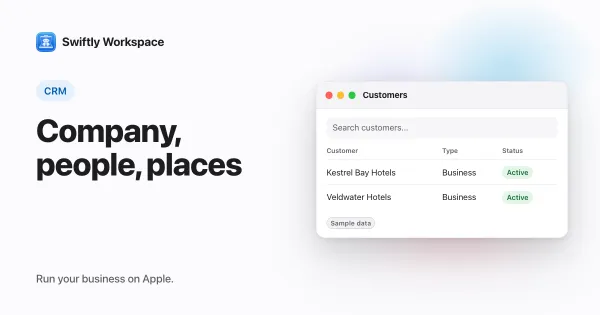
- Customers carry their contacts and addresses. When you add an address, the search suggests matching addresses as you type, so street names and postal codes come out right.
- Your own fields. An admin chooses which customer fields are visible, which are required and what their default values are, so the form asks for what your business uses and nothing more.
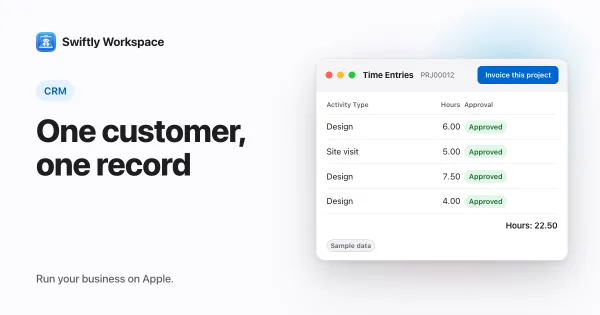
- Invoices on the customer. Invoices, credit notes and proforma invoices are made out to a customer, and a new invoice takes the customer's default payment terms. Every invoice starts as a draft that a person finalizes.
- Payments. Customer payments are recorded against the customer and allocated to the documents they pay.
- Roles. Roles decide who can see and change customer data, which helps once a freelancer or new hire joins.
For how to structure customers, contacts and addresses for business clients, see structuring B2B customer records.
A one-hour CRM setup
- List your active customers and remove the duplicates before you enter anything.
- For each, add the main contact and the billing address.
- Set each customer's payment terms once, so invoices pick them up.
- Hide the fields you will never fill in, so the form stays short.
- Write down your three most urgent follow-ups, each with a date and an owner.
That is a working CRM. Add more when a real need shows up, not before. When you send the next invoice, our invoice checklist catches the details customers query most.
When a bigger CRM makes sense
If you have a dedicated sales team, a long sales cycle and a marketing budget, a sales-focused CRM with pipelines, sequences and forecasting earns its keep. Many growing businesses run one next to their invoicing for exactly that reason. Our look at alternatives to a large marketing and sales CRM helps you compare.
Frequently asked questions
What is the simplest CRM for a small business?
The simplest CRM is one your team actually keeps up to date. In practice that means few required fields, contacts and addresses on one customer record, and invoices in the same place, so updating the record is part of the work rather than extra work.
Is a spreadsheet good enough as a CRM?
For a handful of customers, often yes. It stops working when several people edit it, when you need history per customer, or when invoices have to match the record. That is usually the moment to switch.
How much customer data should a small business keep?
Keep what you need to serve and bill the customer, and little else. Under data protection rules in many countries, collecting less also means less to secure and less to delete later.
Do I need a CRM app on my phone?
If you visit clients or take calls on the road, yes. Looking up a contact or an open invoice from your phone before a meeting saves a call back to the office.
Run your business on Apple.
Create your account on the web, then set up your workspace in the app on your iPhone, iPad or Mac.
Create your account