Swiftly Workspace vs HubSpot: an honest comparison
We make Swiftly Workspace, so read this with that in mind.
HubSpot suits teams that want a free CRM to start, with marketing and sales tools to grow into. Swiftly Workspace suits service businesses that want customers, projects, approved timesheets and invoices in one native app for Mac, iPhone and iPad.
The two answer different questions. HubSpot asks how you find and win customers, and builds a platform around that. Swiftly asks what happens after the deal: the project, the hours and the invoice that pays for them. Many small businesses need a bit of both, so it helps to know which side your week leans to.
Swiftly Workspace and HubSpot at a glance
| HubSpot | Swiftly Workspace | |
|---|---|---|
| Built around | A CRM with marketing, sales and service tools | Customers, projects, timesheets and invoices in one workspace |
| Apple apps | iPhone and iPad app; the App Store lists the Mac version as "Designed for iPad" | Native Mac app, plus iPhone and iPad |
| AI | Breeze Assistant included with every subscription; credits for usage-based agents | Your own key for a provider such as OpenAI, Gemini or Mistral, or Apple Intelligence on the device |
| Single sign-on | Single sign-on and SCIM on the Professional and Enterprise tiers | Not offered today |
| Pricing model | Free CRM plan for up to two users; paid plans per seat | Left out of this comparison |
HubSpot facts checked 2026-10-18 on hubspot.com and the App Store: the CRM pricing page, Sales Hub pricing, HubSpot's App Store listing, the Breeze Assistant page, and the help pages for single sign-on and SCIM. We leave prices out of this comparison on both sides.
What HubSpot does well
HubSpot is easy to start with. Its free CRM plan covers up to two users, and paid seats add sales, marketing and service tools when you need them, so a team can grow without moving to another system. Breeze Assistant is included with every HubSpot subscription, and the Sales Hub pricing page describes credits for agents that run on usage. For growing teams with IT requirements, single sign-on and SCIM provisioning come with the Professional and Enterprise tiers.
On Apple devices, HubSpot has an iPhone and iPad app, and the App Store lists its Mac version as "Designed for iPad", Apple's label for the iPad app running on a Mac with Apple silicon. If your growth depends on campaigns, forms and a busy sales pipeline, HubSpot is built for exactly that.
Where Swiftly Workspace is different
Swiftly treats the customer record as the place where the work and the money meet. Our post on why a CRM with invoicing beats two separate tools explains the idea; in practice it looks like this.
- The invoice lives on the customer. Invoices, credit notes and proforma invoices, each a draft a person finalizes, with customer payments allocated to the open invoice they pay. Vendors and their bills sit in the same workspace.
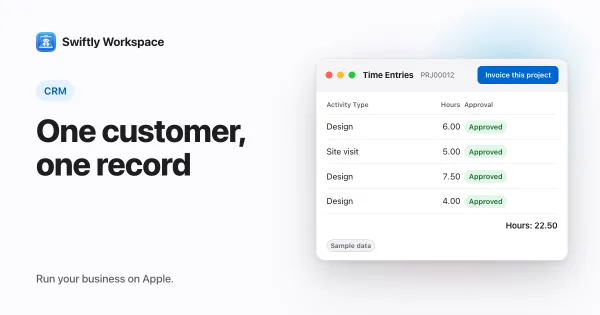
- Projects and hours are part of the record. Projects break down into Phases, Work Packages and Tasks with a budgeted amount. Timesheets are reviewed in Timesheet Approvals, and Invoice this project turns approved billable hours into a draft invoice.
- Forms you shape. Make a field visible, required or give it a default value, check a VAT number against VIES (the check is advisory), and see a change history on each record. Roles with field-level permissions decide who sees what.
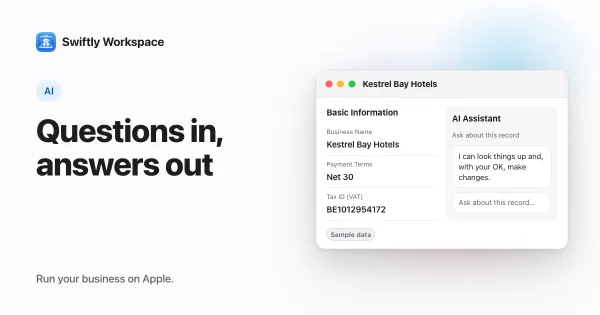
- Questions about your own data. In Conversations, ask about your customers and invoices; the assistant fetches what the question needs. Use your company's own key for a provider such as OpenAI, Gemini or Mistral, or Apple Intelligence on the device, where the text isn't sent to a cloud AI provider. See asking questions about your own business data.
- Native on Mac, iPhone and iPad. A native Mac app, plus one app for iPhone and iPad.
Two ways to set up a small service business
Some teams run HubSpot for winning customers and a second tool for delivering and billing the work. That keeps each tool doing what it does well, at the cost of keeping two customer lists in step. Others move everything after the deal into one workspace and keep marketing light, or in a separate email tool. There is no wrong answer; the cost to watch is the copying between tools, which grows with every new customer and every month of invoices.
Choose HubSpot if
- Marketing is how you grow: campaigns, forms and email follow-up.
- You want to start on a free plan with a small team and add seats later.
- You need single sign-on and SCIM now, and expect to be on a Professional or Enterprise tier.
- Your team works across many devices and platforms, not just Apple.
Choose Swiftly Workspace if
- Most of your week is delivering work, not finding it: projects, hours and invoices.
- Hours need a manager's approval before they are billed.
- You want the invoice, the payment and the project on the same customer record.
- Your team lives on Macs, iPhones and iPads and wants a native app on each.
- You want to choose your own AI provider, or keep AI on the device with Apple Intelligence.
What Swiftly Workspace doesn't do
Swiftly has no marketing automation and no email campaigns, there is no mail client in the app, and it has no estimates. It doesn't offer company single sign-on today. It runs on Apple devices. HubSpot's invoicing was outside our check, so we don't compare it here. If you want a wider view of the CRM market, our small business CRM guide walks through what to look for, and our roundup of HubSpot alternatives for small service businesses lines up more options, including Pipedrive, Zoho CRM and Salesforce Starter Suite.
What to test in a trial
Pick a customer you won last month and replay what happened next. In each tool, add the customer and a contact, set up the work you agreed, log a week of hours, and send the invoice. Note every point where you had to leave the tool, copy a number or ask a colleague.
Then flip it around and replay how you won that customer: the opening email, the follow-up, the meeting. If the second replay is where your time goes, a sales and marketing platform will repay you. If the earlier replay is the bigger job, a CRM with projects and invoicing will. To try Swiftly with your own records, Swiftly Workspace imports customers and their contacts, vendors, items, open invoices, payments and projects from CSV or XLSX; bring across invoices that are still fully unpaid.
Frequently asked questions
Does HubSpot offer single sign-on on every plan?
No. HubSpot's help pages put single sign-on and SCIM provisioning on the Professional and Enterprise tiers (checked 2026-10-18). Swiftly Workspace doesn't offer company single sign-on today.
Can Swiftly Workspace run marketing campaigns?
No. Swiftly has no marketing automation or email campaigns. It covers what happens after the sale: customers, projects, approved timesheets, invoices and payments.
Can I keep HubSpot for marketing and use Swiftly Workspace for projects?
Some teams split the work that way. We don't offer a HubSpot connector, so customers move across as a CSV or XLSX import, and any later changes are made in both tools by hand.
Do I need my own AI key in HubSpot or Swiftly Workspace?
HubSpot includes Breeze Assistant with every subscription and uses credits for usage-based agents (checked 2026-10-18). In Swiftly, cloud AI uses your company's own provider key, and Apple Intelligence works on the device without one.
Run your business on Apple.
Create your account on the web, then set up your workspace in the app on your iPhone, iPad or Mac.