Pipedrive alternatives with invoicing built in
We make Swiftly Workspace, so read this with that in mind.
When a won deal turns into billable work, Swiftly Workspace keeps customers, projects, approved timesheets and invoices in one native Apple app, and Teamleader Focus pairs a CRM with invoicing and PEPPOL. HubSpot and Zoho CRM stay closer to Pipedrive's sales-led design.
Pipedrive is a good CRM for a team that sells. Everything is organized around deals, and it shows. The search for an alternative usually starts later, once the deal is won and the work begins: someone has to plan the job, log the hours and send the invoice, and that happens somewhere else. The four tools below each handle that second half in their own way.
The options at a glance
| Tool | Mac | Invoicing | Pricing model | Suits |
|---|---|---|---|---|
| Pipedrive | Listed as "Designed for iPad" | Not part of our check | Per seat | Sales teams working a pipeline |
| Swiftly Workspace | Native Mac app | Invoices, credit notes and proforma invoices | Left out of this roundup | Service teams billing project hours |
| Teamleader Focus | Listed as "Designed for iPad" | Invoicing, with PEPPOL e-invoices included | Per user per month; 14-day trial | Teams that also send e-invoices |
| HubSpot | Listed as "Designed for iPad" | Not compared here | Per seat, with a free CRM plan | Teams that grow through marketing |
| Zoho CRM | No Mac version listed | Not compared here | Per user per month; free for up to three users | Small teams that want a free start |
Every tool here has an iPhone and iPad app. Checked 2026-10-18 on support.pipedrive.com, teamleader.eu, hubspot.com, zoho.com and the App Store: Pipedrive's plan features, Projects billing and listing; Teamleader's home page, pricing and listing; HubSpot's CRM pricing, listing and Breeze Assistant; and Zoho CRM's pricing, listing and Zia help page. We leave prices out on every side.
What Pipedrive does well
Pipedrive keeps its plans simple: four tiers from Lite to the top plan, priced per seat, with single sign-on on all of them. AI report creation is on every plan, and AI email writing and summaries come with Premium and the plan above it. Pipedrive also offers Projects, included on those two higher plans and a paid add-on on Lite and Growth. It has an iPhone and iPad app, and the App Store lists its Mac version as "Designed for iPad". Invoicing wasn't part of what we could check on Pipedrive's pages, so if you need it, ask Pipedrive how it handles invoices today. Our Swiftly Workspace and Pipedrive comparison goes into more detail.
Swiftly Workspace: the invoice on the customer record
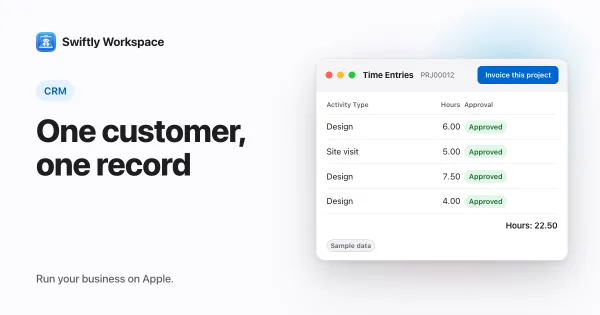
Swiftly is a native Mac app with an iPhone and iPad app, built for service businesses. The idea is that the customer record carries the whole story, from the contact to the paid invoice. We explain why in a CRM with invoicing versus two separate tools.
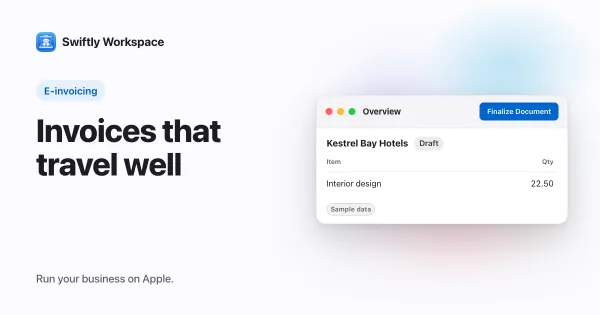
- Customers with contacts and addresses, with invoices, credit notes and proforma invoices on the customer. Each invoice is a draft a person finalizes, in the Modern, Classic or Receipt layout.
- Customer payments allocated to the open invoice they pay.
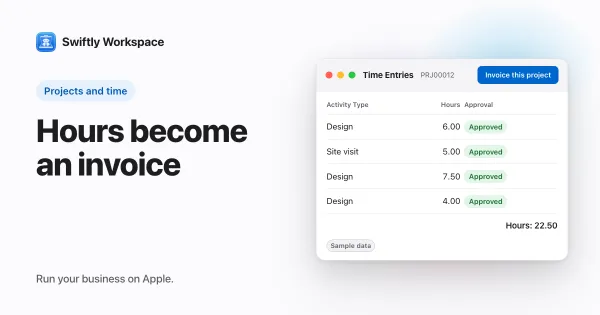
- Projects as Phases, Work Packages and Tasks, timesheets reviewed in Timesheet Approvals, and Invoice this project to turn approved billable hours into a draft invoice. See invoicing a project from approved hours.
- AI with your company's own key for a provider such as OpenAI, Gemini or Mistral, or Apple Intelligence on the device.
What Swiftly doesn't have: no estimates, no email sync or mail client, no PEPPOL sending or receiving today, and no company single sign-on today. It runs on Apple devices. If your team's day is mostly prospecting and follow-ups, a sales CRM will serve you better.
Teamleader Focus: CRM, invoicing and e-invoicing together
Teamleader Focus brings a CRM, invoicing and quotations together, priced per user per month, with a 14-day trial. PEPPOL e-invoices are included: the entry plan sends them, and the higher plans send and receive. Project management is a paid add-on rather than part of the base plans. Its assistant is Focus AI, with AI credits per account. It has an iPhone and iPad app, and the App Store lists its Mac version as "Designed for iPad". Choose it if your customers already expect e-invoices over PEPPOL; our explainer on what PEPPOL is covers the basics, and our Teamleader Focus comparison covers the rest.
HubSpot: a free CRM that grows into a platform
HubSpot starts with a free CRM plan and adds paid seats as the team grows, with Breeze Assistant included in every subscription. It has an iPhone and iPad app, and its Mac version is listed as "Designed for iPad". Choose it if marketing drives your growth. Our roundup of HubSpot alternatives for small service businesses compares it with more tools.
Zoho CRM: a free start for up to three users
Zoho CRM is free for up to three users, then priced per user per month. Its assistant is Zia, and Zoho documents an option to use an OpenAI key in CRM Plus. The app covers iPhone and iPad, with no Mac version listed on the App Store. See how Swiftly compares with Zoho CRM.
Where invoicing should live
There are three common setups. A sales CRM plus a separate invoicing tool keeps each tool focused, but someone copies customers and amounts between them. A CRM with invoicing built in keeps one customer record, so the person who sends the invoice sees the same contact and history as the person who won the deal. A broad suite covers both and much more, with more to configure.
The right setup depends on how often money follows a deal. If you invoice once per signed contract, two tools can work. If you invoice every month for hours your team worked, one record per customer saves real time.
Questions to ask before you switch
- Who sends the invoice? If it is the same person who closed the deal, one tool with both saves the copy step. If finance sends it, ask what they need to see on the customer.
- What comes before the invoice? Hours on a project, a signed quote or a fixed fee each point to a different tool.
- Do your customers expect e-invoices? In many European countries PEPPOL is becoming the norm, so check whether the tool sends them today.
- Which devices does the team use? A native Mac app matters more to a team at desks than to one on the road.
What to test in a trial
- Take a deal you closed recently and follow it to the paid invoice in each tool.
- Count how many times you typed the customer's name, address or VAT number.
- Ask the person who sends invoices to try it without help.
- Bring your own records. Swiftly Workspace imports customers and their contacts, vendors, items, open invoices, payments and projects from CSV or XLSX; bring across invoices that are still fully unpaid.
Frequently asked questions
Which Pipedrive alternative includes invoicing?
Swiftly Workspace has invoices, credit notes, proforma invoices and customer payments in the same app as your customers and projects. Teamleader Focus brings a CRM and invoicing together, with PEPPOL e-invoices included (checked 2026-10-18).
Is there a Pipedrive alternative that sends PEPPOL e-invoices?
Teamleader Focus includes PEPPOL e-invoices: its entry plan sends them, and higher plans send and receive (checked 2026-10-18). Swiftly Workspace doesn't send or receive PEPPOL e-invoices today.
Does Pipedrive include project management?
Pipedrive offers Projects, included on its two higher plans and available as a paid add-on on Lite and Growth (checked 2026-10-18). Swiftly includes projects with Phases, Work Packages and Tasks, and approved timesheets.
Run your business on Apple.
Create your account on the web, then set up your workspace in the app on your iPhone, iPad or Mac.