QuickBooks alternatives for service businesses
We make Swiftly Workspace, so read this with that in mind.
Start with the job you are replacing: the books or the work. FreshBooks and Xero keep invoicing close to accounting, Harvest turns tracked hours into invoices, and Swiftly Workspace suits service teams that want projects, approved timesheets and invoices in a native Apple app.
QuickBooks is accounting software, and for many small businesses it is exactly the right tool. Service businesses tend to look around for a different reason: their invoices come from projects and hours, and the accounting is often their accountant's job. Before you compare, decide which of those two jobs you are replacing, because the shortlist changes completely.
The options at a glance
| Tool | Apple apps | Pricing model | Suits |
|---|---|---|---|
| QuickBooks Online | iPhone and iPad app; a downloadable desktop app for the Mac, not on the App Store | Plans with a cap on users; a Free plan for one user; 30-day trial | Small businesses that want accounting in one tool |
| Swiftly Workspace | Native Mac app, plus iPhone and iPad | Left out of this roundup | Service teams billing project hours |
| FreshBooks | iPhone, iPad and Apple Vision; no Mac version listed | Subscription plans, extra per added team member; 30-day trial, no card | Freelancers and small teams |
| Xero | iPhone and iPad; no Mac version listed | Per organization, with no per-user license fees | Businesses that want invoicing and the books together |
| Harvest | iPhone app and a separate Mac app; no iPad version listed | Per seat; Free plan for one seat and two projects; 30-day trial | Teams that bill from tracked hours |
Checked 2026-10-18 on quickbooks.intuit.com, freshbooks.com, xero.com, getharvest.com and the App Store: QuickBooks' pricing, App Store listing and Mac app help page; FreshBooks' pricing and listing; Xero's UK pricing page and listing; and Harvest's pricing, iPhone app and Mac app. We leave prices out on every side.
What QuickBooks does well
QuickBooks Online is small-business accounting software, and its plans grow with you: each plan has a cap on users, adding employee time to invoices arrives with the Essentials plan, and project profitability tracking with the Plus plan. When we checked, the pricing page showed a Free plan for one user above the paid plans, and a 30-day trial. On Apple devices, Intuit's QuickBooks app covers iPhone and iPad. There is no QuickBooks Online app on the Mac App Store, but Intuit offers a downloadable QuickBooks Online desktop app for the Mac. If you want the books, invoices and reports in one tool, QuickBooks is a sound choice, and so is staying with it. Our Swiftly Workspace and QuickBooks Online comparison goes into the detail.
Swiftly Workspace: projects and hours to invoice
Swiftly is a native Mac app with an iPhone and iPad app, for service businesses whose invoices come from the work. It is not accounting software, so your accountant keeps the books in their own tools. If you are not sure which side you need, start with invoicing app or accounting software.
- Invoices, credit notes and proforma invoices, each a draft a person finalizes, in the Modern, Classic or Receipt layout, with a VAT breakdown per rate and a scan-to-pay QR code on outstanding euro invoices with your IBAN.
- Customer payments allocated to the open invoice they pay, plus vendors, vendor bills and vendor payments.
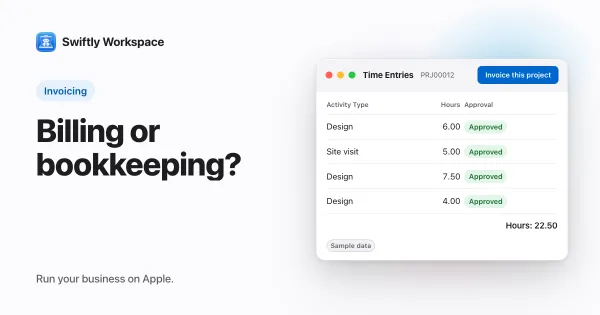
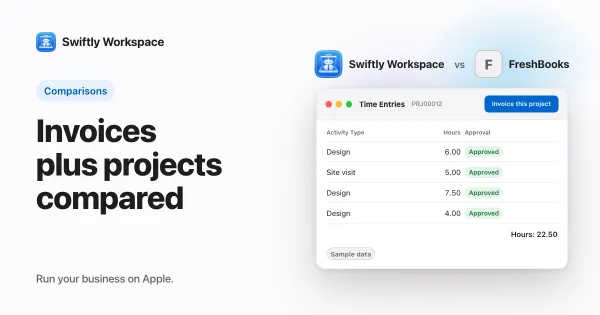
- Projects as Phases, Work Packages and Tasks with a budgeted amount, timesheets reviewed in Timesheet Approvals, and Invoice this project to turn approved billable hours into a draft invoice.
- AI with your company's own key for a provider such as OpenAI, Gemini or Mistral, or Apple Intelligence on the device.
- A CSV export when your accountant needs the figures.
What Swiftly doesn't do: no accounting, no estimates, and no PEPPOL sending or receiving today. It runs on Apple devices. QuickBooks has a Mac app too, so the Mac alone is not a reason to switch.
FreshBooks: invoicing for freelancers and small teams
FreshBooks is a good fit for freelancers and small teams. It lists unlimited estimates, unlimited time tracking and project budgets on all its plans, sells each plan as a subscription and charges extra for each added team member. The 30-day trial needs no credit card. Its app covers iPhone, iPad and Apple Vision, with no Mac version listed. Read our Swiftly Workspace and FreshBooks comparison, or the wider roundup of FreshBooks alternatives.
Xero: accounting priced per organization
Xero is priced per organization and says it has no per-user license fees, according to its UK pricing page. Its app covers iPhone and iPad, with no Mac version listed. Choose Xero if you want invoicing and the books in the same tool. More in our Xero comparison.
Harvest: invoices from tracked hours
Harvest has an iPhone app and a separate Mac app, with no iPad version listed. It is priced per seat, with a Free plan for one seat and two projects and a 30-day trial, and its pricing page lists timesheet approvals on the Enterprise plan. Choose it if tracked hours are the heart of your billing. See how Swiftly compares with Harvest.
Replacing QuickBooks or adding to it
Many service businesses don't replace their accounting software at all. They add a tool for the work: the customers, projects, approved hours and invoices. The accountant keeps the books, and the business exports what the accountant needs. Others want everything in one accounting tool and accept a lighter project side. Both setups work; what doesn't work is choosing a tool for the wrong job.
- If you do your own bookkeeping, stay with an accounting tool such as QuickBooks or Xero.
- If your accountant does the books and your problem is billing hours, an invoicing and projects tool fits.
- If you are a freelancer who quotes every job, FreshBooks covers estimates and invoices together.
A useful test is to list who touches an invoice before it goes out. If it is just you and your accountant, an accounting tool covers it. If a project manager approves hours and someone else checks the draft, look for approvals and drafts built into the flow, because that is where service businesses lose most of their time at month end.
What to test in a trial
- Rebuild last month's billing in each tool: the projects, the hours and the invoices that went out.
- Ask your accountant which export they need, and try producing it.
- Check each tool on the devices your team uses every day.
- Bring your own records. Swiftly Workspace imports customers and their contacts, vendors, items, open invoices, payments and projects from CSV or XLSX. Our post on moving open invoices to a new tool explains the cut-over.
Frequently asked questions
Is there a QuickBooks app for Mac?
QuickBooks Online has no app on the Mac App Store, but Intuit offers a downloadable QuickBooks Online desktop app for the Mac (checked 2026-10-18). Swiftly Workspace has a native Mac app alongside its iPhone and iPad app.
Does QuickBooks have a free plan?
When we checked on 2026-10-18, the QuickBooks pricing page showed a Free plan for one user, along with a 30-day trial. Offers change, so confirm on the pricing page.
Do I still need accounting software if I leave QuickBooks?
If you move to an invoicing and projects tool such as Swiftly Workspace, yes: someone still keeps the books, often your accountant in their own software. Swiftly can export your records as CSV files for them.
What should I do with partly paid invoices when I switch?
Settle partly paid invoices in your old tool, then import the invoices that are still fully unpaid. That keeps every balance right on the switch date.
Run your business on Apple.
Create your account on the web, then set up your workspace in the app on your iPhone, iPad or Mac.