Swiftly Workspace vs Notion: an honest comparison
We make Swiftly Workspace, so read this with that in mind.
Notion suits teams that want one flexible workspace for docs, wikis and planning, with AI built around their pages. Swiftly Workspace suits service businesses that need business records with rules: customers, projects, approved timesheets and invoices in a native app for Mac, iPhone and iPad.
A lot of small businesses run on Notion for longer than anyone planned. A client list becomes a database, a project becomes a board, and an invoice tracker grows a few formulas. It is a sign of how adaptable Notion is. It is also where the questions start, because the moment money is involved, a page needs rules that a person has to keep by hand. This comparison is about where that line falls for your team.
Swiftly Workspace and Notion at a glance
| Notion | Swiftly Workspace | |
|---|---|---|
| Built around | Pages and databases you design | Customer, project, timesheet and invoice records |
| On the Mac | Desktop app for Apple silicon and Intel Macs | Native Mac app, plus iPhone and iPad |
| AI | Notion AI features such as Notion Agent on Business and Enterprise | Your own key for a provider such as OpenAI, Gemini or Mistral, or Apple Intelligence on the device |
| Single sign-on | SAML on Business; SCIM provisioning on Enterprise | Not offered today |
| Pricing model | Free plan; paid plans per member per month | Left out of this comparison |
Notion facts checked 2026-10-18 on notion.com: the pricing page and the desktop app page, with the home page checked 2026-10-25. We leave prices out of this comparison on both sides.
What Notion does well
Notion describes itself as an AI workspace, and it is very good at becoming whatever a team needs: a wiki, a meeting log, a roadmap, a shared reading list. There is a free plan, and paid plans are priced per member per month. Notion AI features such as Notion Agent come with the Business and Enterprise plans. SAML single sign-on is on the Business plan, and SCIM provisioning on Enterprise. On the Mac, there is a desktop app with downloads for Apple silicon and Intel Macs.
Notion is a flexible workspace, not a system of business records. That is a deliberate choice, and for writing, planning and sharing what a team knows, it is the right one. If most of your work is documents and decisions, Notion may be all you need.
Where Swiftly Workspace is different
Swiftly starts from the records instead of the page. A customer is a customer, an invoice is an invoice, and each one knows the rules it has to follow. For the wider picture, our CRM guide for small service businesses explains what a customer record should hold.
- Customers with structure. Contacts and addresses on each customer. You can make a field visible, required or give it a default value, and each record keeps a change history. Roles with field-level permissions decide who sees what. More in configuring your forms.
- Projects and approved time. Projects break down into Phases, Work Packages and Tasks. Team members submit timesheets, and approvers review them in Timesheet Approvals; see how timesheet approval works.
- Invoices that follow the work. Invoice this project turns approved billable hours into a draft invoice. Invoices, credit notes and proforma invoices sit on the customer, each a draft a person finalizes, and customer payments are allocated to the open invoice they pay.
- Questions about your own data. In Conversations, ask about your customers and invoices; the assistant fetches what the question needs. See asking questions about your own business data.
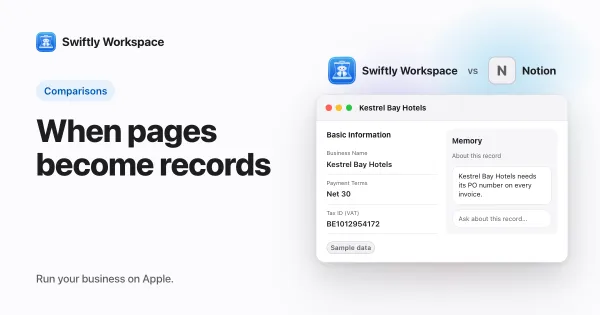
- Notes that stay with the record. A record's assistant can keep short notes about that record, the kind of context you might have kept on a page. Each note belongs to you and one assistant, and you can see and delete it. Read how the assistant's memory works.
- AI on your terms. Your company's own key for a provider such as OpenAI, Gemini or Mistral, or Apple Intelligence on the device, where the text isn't sent to a cloud AI provider.
Where pages stop and records start
It helps to sort your Notion workspace into two piles before you decide anything.
- Knowledge. Handbooks, meeting notes, project briefs, how-tos. These are documents, and they are happy in a docs tool.
- Records. Customers, hours, invoices, payments. These carry numbers that must add up, steps that someone signs off, and history you may need to show later.
If the second pile is small, a few Notion databases may serve you well for years. If it is growing, or if the end of the month means checking formulas and chasing approvals by message, the records probably want a tool built for them. Many teams keep both: Notion for what they know, and a records tool for what they bill. The link between them can be as simple as the customer's name, used the same way in both places, so anyone can find the brief in one and the invoice in the other.
Choose Notion if
- Most of your work is writing, planning and sharing documents.
- You want to design your own pages and databases from scratch.
- You want AI inside your pages, with features such as Notion Agent.
- You need SAML single sign-on, or SCIM provisioning on Enterprise.
Choose Swiftly Workspace if
- Your client list, projects and invoices have outgrown pages and formulas.
- Hours need a manager's approval before they are billed.
- You want a change history on each customer and invoice.
- Your team works on Macs, iPhones and iPads and wants a native app on each.
- You want to choose your own AI provider, or use Apple Intelligence on the device.
What Swiftly Workspace doesn't do
Swiftly has no wiki and no free-form pages, so it won't replace Notion for your handbook or meeting notes. It has no estimates, it doesn't send or receive PEPPOL e-invoices today, and it doesn't offer company single sign-on today. It runs on Apple devices. Our roundup of Notion alternatives for running client work lines up more tools if you are still deciding.
What to test in a trial
Pick one active client from Notion and rebuild them in Swiftly: the customer, a contact, the current project and last week's hours. Have someone approve the hours, create the invoice and record a payment against it. Then compare the end of the month in both setups: how many numbers you typed twice, and how many you had to check by hand. To bring a whole table across, export it from your current tool as a CSV file. Swiftly Workspace imports customers and their contacts, vendors, items, open invoices, payments and projects from CSV or XLSX; bring across invoices that are still fully unpaid.
Frequently asked questions
Can I run a CRM in Notion?
Many small teams do, using a database of clients and a few linked pages. It works best while the list is short and nobody needs approvals, invoice numbers or payment history to follow fixed rules. When those arrive, a tool with customer records tends to save time.
Which Notion plan includes single sign-on?
Notion's pricing page lists SAML single sign-on on the Business plan, and SCIM provisioning on Enterprise (checked 2026-10-18). Swiftly Workspace doesn't offer company single sign-on today.
Does Swiftly Workspace have pages like Notion?
No. Swiftly has records rather than free-form pages: customers, projects, timesheets and invoices. A record's assistant can keep short notes about that record, but for a team handbook or meeting notes, keep a docs tool next to it.
Run your business on Apple.
Create your account on the web, then set up your workspace in the app on your iPhone, iPad or Mac.