Notion alternatives for running client work, not just notes
We make Swiftly Workspace, so read this with that in mind.
If your client work has outgrown pages, Swiftly Workspace gives you customers, projects, approved timesheets and invoices as structured records in one native Apple app. Daylite is a native Apple CRM with mail and calendar, HubSpot a free CRM that grows, and FreshBooks invoicing with time tracking.
Plenty of small agencies and studios start out in Notion. A page per client, a table of projects, a checklist for invoicing at the end of the month. It works well for a while, because Notion bends to whatever you need. The trouble tends to arrive with the money: an invoice number that has to follow the last one, hours that someone must approve, a payment that should close the right invoice. Those are rules, and rules are what business records are for.
The options at a glance
| Tool | On the Mac | Built around | Pricing model | Suits |
|---|---|---|---|---|
| Notion | Desktop app for Apple silicon and Intel Macs | An AI workspace, in its own words | Free plan; per member per month | Teams that write and plan together |
| Swiftly Workspace | Native Mac app | Customers, projects, timesheets and invoices | Left out of this roundup | Service teams billing their hours |
| Daylite | Native Mac app | Mail, calendar, pipeline and projects | Per user per month; 14-day trial | Apple teams that live in mail and meetings |
| HubSpot | Listed as "Designed for iPad" | A CRM with marketing and sales tools | Free CRM plan; per seat | Teams that grow through marketing |
| FreshBooks | No Mac version listed | Invoicing, estimates and time | Subscription plus each team member; 30-day trial | Freelancers and small teams |
Checked 2026-10-18 on notion.com, daylite.app, hubspot.com, freshbooks.com and the App Store: Notion's pricing and desktop app pages; Daylite's home page, pricing and listing; HubSpot's CRM pricing, Breeze Assistant and listing; and FreshBooks' pricing and listing. Notion's description of itself is from its home page, re-opened 2026-10-25. We leave prices out on every side.
What Notion does well
Notion calls itself an AI workspace, and it is very good at being whatever your team needs that week. There is a free plan, and paid plans are priced per member per month. SAML single sign-on comes with the Business plan, and SCIM provisioning with Enterprise. Notion AI features such as Notion Agent come with the Business plan. On the Mac there is a desktop app, with downloads for Apple silicon and Intel Macs, and the desktop page notes that Notion is also on mobile.
Notion is a flexible workspace, not a system of business records. That is a design choice, and for writing, planning and sharing knowledge it is the right one. Many teams keep Notion for exactly that and move the customers and the money somewhere with rules. Our Swiftly Workspace and Notion comparison looks at that split in more detail.
Swiftly Workspace: records that follow the work
Swiftly is a native Mac app with an iPhone and iPad app, for service businesses. Instead of pages you design, it gives you records that already know what they are: a customer, a project, a timesheet, an invoice. We explain the idea in a CRM with invoicing versus two separate tools.
- Customers with contacts and addresses. You can make a field visible, required or give it a default value, and each record keeps a change history.
- Invoices, credit notes and proforma invoices on the customer, each a draft a person finalizes, with customer payments allocated to the open invoice they pay.
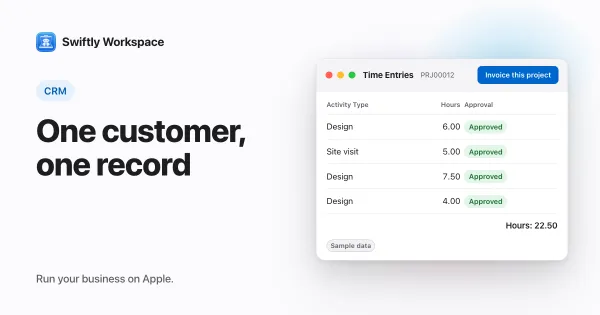
- Projects as Phases, Work Packages and Tasks. Timesheets are reviewed in Timesheet Approvals, and Invoice this project turns approved billable hours into a draft invoice.
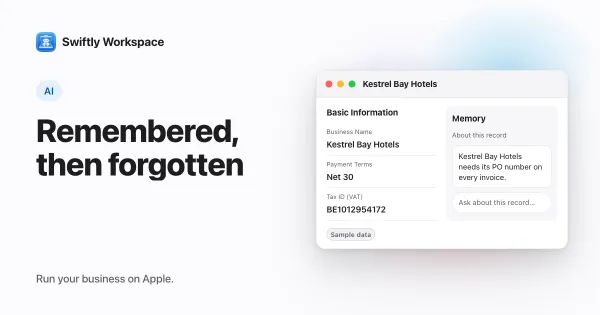
- A record's assistant can keep short notes about that record, the kind of context you used to write on a page. Each note belongs to you and one assistant, and you can see and delete it. See how the assistant's memory works.
- AI with your company's own key for a provider such as OpenAI, Gemini or Mistral, or Apple Intelligence on the device.
What Swiftly doesn't have: no wiki or free-form pages, no estimates, no PEPPOL sending or receiving today, and no company single sign-on today. It runs on Apple devices. If most of your team's work is writing documents together, keep a docs tool next to it.
Daylite: a native Apple CRM with mail and calendar
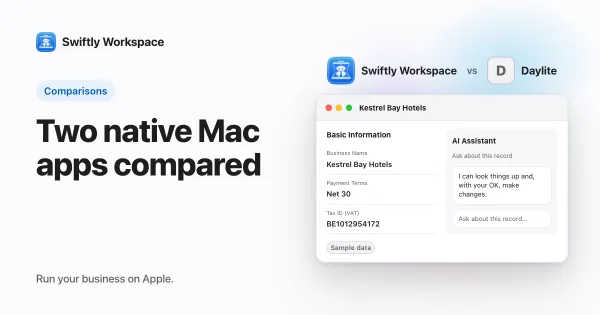
Daylite's App Store listing calls its iPhone, iPad and Mac apps fully native, with offline data. Mail, calendar, tasks, a sales pipeline and projects share one app, and estimates live inside opportunities. Its pricing page describes its AI as Apple's Writing Tools for composing email. Pricing is per user per month, Leap is a single-user plan, and the 14-day trial needs no card. Choose it if your client work happens in conversations and meetings. Our Daylite comparison goes further.
HubSpot: a free CRM that grows with you
HubSpot's free CRM plan covers up to two users, and paid plans are priced per seat, with Breeze Assistant included in every subscription. It has an iPhone and iPad app, and the App Store lists its Mac version as "Designed for iPad". Choose it if your Notion pages are mostly a contact list and a sales pipeline. Our roundup of HubSpot alternatives for small service businesses compares more tools.
FreshBooks: invoicing with time tracking
FreshBooks lists unlimited estimates, unlimited time tracking and project budgets on all of its plans, and it suits freelancers and small teams. Plans are sold as a subscription, with an extra charge for each added team member, and there is a 30-day free trial with no card. Its App Store listing covers iPhone, iPad and Apple Vision, with no Mac version listed. Choose it if the invoice is the part of Notion that hurts most. See how Swiftly compares with FreshBooks.
Pages or records: what changes when you switch
A page lets you write anything. A record asks for the things that matter and then does something with them. That difference shows up in a few places:
- Numbers that follow on. Invoice numbers, payment dates and totals stay consistent because the app keeps them, not a person with a formula.
- A step someone signs off. Hours that need a manager's approval, or an invoice that is finalized before it goes out, need a status, not a checkbox anyone can tick.
- One customer, many uses. When the project, the timesheet and the invoice all point at the same customer, a change of address happens once.
- History you can trust. A record that keeps track of who changed what answers questions a page edit can't.
None of this makes pages less useful. It just means the client list and the money usually move, and the team handbook can stay where it is.
What to test in a trial
- Take one active client from Notion and rebuild them in each tool: the customer, a contact, the current project and last month's hours.
- Create the invoice for those hours and see how many fields you had to type again.
- Ask the person who approves hours to try the approval step without help.
- Bring a real table across. Swiftly Workspace imports customers and their contacts, vendors, items, open invoices, payments and projects from CSV or XLSX; bring across invoices that are still fully unpaid. Our guide to moving from spreadsheets covers the cleanup.
Frequently asked questions
Which Notion alternative handles invoicing?
Swiftly Workspace has invoices, credit notes, proforma invoices and customer payments next to your customers and projects. FreshBooks lists unlimited estimates and time tracking on all of its plans (checked 2026-10-18).
Which Notion plan includes Notion Agent?
Notion's pricing page puts Notion AI features such as Notion Agent on the Business plan (checked 2026-10-18). In Swiftly, cloud AI uses your company's own provider key, and Apple Intelligence works on the device without one.
Should I keep Notion after moving client records?
Many teams do. Notion stays a good home for docs, wikis and meeting notes, while customers, hours and invoices move to a tool with records and rules. Link the two by the customer's name and keep each tool to its own job.
Run your business on Apple.
Create your account on the web, then set up your workspace in the app on your iPhone, iPad or Mac.