Swiftly Workspace vs Daylite: an honest comparison
We make Swiftly Workspace, so read this with that in mind.
Daylite suits Apple-based teams that want mail, calendar, a sales pipeline and projects in one native app with offline data. Swiftly Workspace suits service businesses that want customers, projects, approved timesheets and invoices on the same customer record, natively on Mac, iPhone and iPad.
This is a rare comparison: both tools are native on the Mac, so the usual question of a real Mac app versus an iPad app on a Mac doesn't come up. What separates them is where the day starts. In Daylite it starts in your mail and calendar. In Swiftly it starts with a customer, a project and the hours that end up on an invoice.
Swiftly Workspace and Daylite at a glance
| Daylite | Swiftly Workspace | |
|---|---|---|
| Apple apps | Native apps for Mac, iPhone and iPad, with offline data | Native Mac app, plus iPhone and iPad |
| Built around | Mail, calendar, tasks, a sales pipeline and projects | Customers, projects, timesheets and invoices |
| Before the invoice | Estimates inside opportunities | No estimates |
| Time | Not compared here | Timesheets with submission and approval |
| AI | Apple's Writing Tools for composing email | Your own key for a provider such as OpenAI, Gemini or Mistral, or Apple Intelligence on the device |
| Pricing model | Per user per month; Leap is a single-user plan; 14-day trial without a card | Left out of this comparison |
Daylite facts checked 2026-10-18 on daylite.app and the App Store: the Daylite home page, the pricing page and Daylite's App Store listing. We leave prices out of this comparison on both sides.
What Daylite does well
Daylite brings a lot together. Mail, calendar, tasks, a sales pipeline and projects share one app, and estimates live inside opportunities, next to the deal they belong to. Its App Store listing calls the iPhone, iPad and Mac apps fully native, with offline data, which matters if you work on trains, planes or in client buildings with poor signal.
Daylite's pricing page describes its AI as Apple's Writing Tools for composing email. Pricing is per user per month, the Leap plan is a single-user plan, and the 14-day trial needs no card. For a small team whose work happens in conversations and meetings, it is a strong, settled choice.
Where Swiftly Workspace is different
Swiftly is built for what comes after the meeting. The customer record carries the project, the approved hours and the invoice. Our post on why a CRM with invoicing beats two separate tools explains the thinking.
- Invoices on the customer. Invoices, credit notes and proforma invoices, each a draft a person finalizes, in the Modern, Classic or Receipt layout. Outstanding euro invoices with your IBAN carry a scan-to-pay QR code, and customer payments are allocated to the open invoice they pay. Vendors and vendor bills sit in the same workspace.
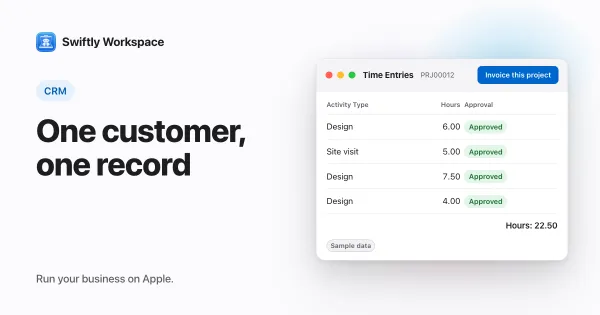
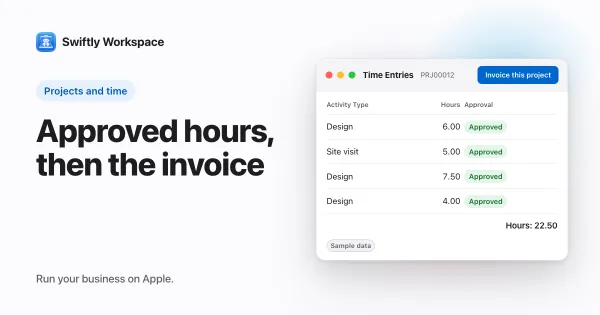
- Projects with approved time. Phases, Work Packages and Tasks with a budgeted amount. Team members submit timesheets, approvers review them in Timesheet Approvals, and Invoice this project turns approved billable hours into a draft invoice. More in how timesheet approval works.
- Control over records. Roles with field-level permissions; fields you make visible, required or give a default value; an advisory VAT check against VIES; and a change history on each record.
- An assistant for your own data. In Conversations, ask about your customers and invoices; the assistant fetches what the question needs. Use your company's own key for a provider such as OpenAI, Gemini or Mistral, or Apple Intelligence on the device, where the text isn't sent to a cloud AI provider.
- Mac windows that stay out of each other's way. Each customer or invoice opens in its own window, so you can keep several side by side. See working with several windows on a Mac.
- 14 languages to choose from.
How a week looks in each
Picture a small agency with five people. In Daylite, the week runs through the inbox and the calendar: a client email becomes a task, a meeting becomes a follow-up, an opportunity gets an estimate. The CRM records what was said and planned, and the team works in it all day.
In Swiftly, the same week runs through the project. Each person logs hours against the project's tasks, submits a timesheet on Friday, and a manager approves it. On the last day of the month, Invoice this project turns the approved billable hours into a draft invoice, someone checks it and finalizes it, and the payment is recorded against it when it arrives. Both weeks are real; the question is which one is yours.
Choose Daylite if
- Your day starts in mail and calendar, and you want them inside your CRM.
- You often work without a connection and need your data offline.
- Most jobs begin with an estimate.
- You work alone or in a small team and like a single-user plan to start.
Choose Swiftly Workspace if
- Your team bills hours, and those hours need approval before they reach an invoice.
- You want invoices, credit notes and payments on the same record as the customer and the project.
- You want to choose the AI provider your company uses, or keep AI on the device.
- You need roles that control which fields each person sees.
What Swiftly Workspace doesn't do
Swiftly has no mail and no calendar in the app, and no estimates. Swiftly doesn't promise offline use, so test that if you travel. It doesn't offer company single sign-on today. And because both tools are native on Mac, iPhone and iPad, the Mac is not a reason to pick us over Daylite. Invoicing in Daylite was outside what we compared, so check its pages if that matters to you. For a wider look at Mac business apps, read our guide to business software for the Mac, or our roundup of Daylite alternatives for Mac, iPhone and iPad.
What to test in a trial
Run the same week through each tool. Add five real customers with their contacts. Plan one project, log the hours your team actually worked, and turn them into an invoice. Then look at where you spent the week: if most of it was in mail and meetings, note how each tool handled that; if it was in projects and billing, note that instead.
Keep a short list as you go: what you looked for and couldn't find, and what you found faster than expected. After a week, that list usually makes the choice for you.
Try it on every device, too. Open three customers side by side on the Mac, then check the same project on an iPhone on the way to a client. Swiftly Workspace imports customers and their contacts, vendors, items, open invoices, payments and projects from CSV or XLSX, so you can test with your own records; bring across invoices that are still fully unpaid.
Frequently asked questions
Does Daylite use AI?
Daylite's pricing page describes its AI as Apple's Writing Tools for composing email (checked 2026-10-18). Swiftly uses your company's own key for a cloud provider such as OpenAI, Gemini or Mistral, or Apple Intelligence on the device.
Does Swiftly Workspace have mail and a calendar like Daylite?
No. Swiftly has no mail or calendar in the app. It focuses on customers, projects, approved timesheets, invoices and payments.
Is Daylite priced per user?
Daylite is priced per user per month, and its Leap plan is a single-user plan, with a 14-day trial that needs no card (checked 2026-10-18). Plans change, so check its pricing page.
Run your business on Apple.
Create your account on the web, then set up your workspace in the app on your iPhone, iPad or Mac.