Setting member-level rates and volume discounts on projects
In Swiftly Workspace, each project member has their own bill rate, cost rate and currency, set when you add them on the project's Members tab. Optional volume discounts lower that member's rate by a percentage once their hours on the project pass a threshold per day, week or month.
A senior consultant and a junior designer rarely cost the same, and the same person may charge one client more than another. Setting the rate on the person, per project, keeps those differences where they belong instead of in a spreadsheet next to your invoices.
Why rates per team member
Many service businesses start with one hourly rate for everyone. It is simple, and it stops working the moment the team grows. Member-level rates answer three common questions:
- Different seniority. A partner's hour and an intern's hour are worth different amounts to the client.
- Different deals. A long-standing client may have a better rate than a new one, for the same person.
- Real margins. With a cost rate next to the bill rate, you see what an hour earns and what it costs, per person.
If you are still choosing between hourly billing and a fixed price, start with fixed fee or time and materials.
The settings on each member
| Setting | What it is for |
|---|---|
| Bill Rate | The hourly price of this member's time on this project. |
| Cost Rate | What an hour of this member's time costs you, for margin. |
| Currency | The currency of both rates, as a three-letter code. |
| Volume Discounts | Tiers that lower the bill rate once the member's hours pass a threshold. |
Set a member's rates on a Mac
- Open the project in its own window and choose the Members tab.
- Click Add Member in the toolbar. The Add Member sheet opens. Choose the person under Select User.
- Enter the rates. In Rates & Pricing, fill in Bill Rate, Cost Rate and Currency (ISO 4217), a three-letter code.
- Add volume discounts if you want them. Under Volume Discounts, click Add Discount. In Add Volume Discount, choose the Period (per day, per week or per month), the Threshold (hours) and the Discount (%), then click Add. Each tier appears as a line such as "Over 40 hrs → 5 % off".
- Click Add to save the member with their rates.
The Add Member button is there for people who can manage projects.
Set a member's rates on iPhone or iPad
Open the project, go to its Members tab and tap Add (the +). In Add Member, the Allocation & Rates section holds Bill rate and Cost rate. Below it, Volume Discounts has an Add Discount button that opens a short form; tap Add Tier to keep it, then Add to save the member.
How volume discounts work
As the app puts it, each tier kicks in once the member's hours on this project cross the threshold inside the chosen window. A few examples of what you can set up:
- A weekly volume deal. Over 40 hours a week on the project, the member's rate drops by 5%.
- A stepped deal. Add several tiers for the same period with different thresholds, such as 40 hours and 60 hours a week. When more than one tier applies, the one with the highest discount counts.
- A monthly retainer. Over 120 hours a month, a larger percentage off.
Discounts belong to the member on that project, so a generous deal on one client's project does not leak into another's.
Tips for setting rates
- Agree the rates before work starts, and put them in the proposal, so the invoice holds no surprises.
- Fill in the cost rate too. Without it, a busy project can look healthy while it loses money.
- Review rates once a year, and set new ones on new projects rather than changing old agreements.
From hours to an invoice
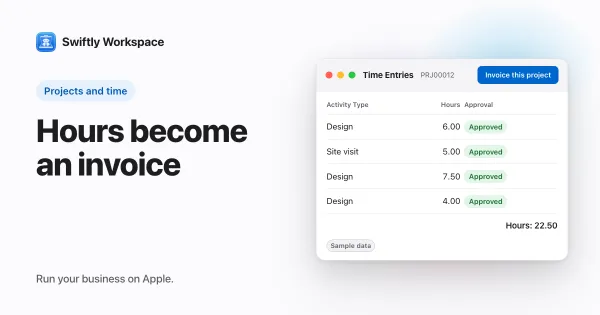
Rates matter when hours turn into money. Once timesheets are approved, Invoice this project turns the project's approved billable hours into a draft invoice for its customer, which a person checks and finalizes. Invoicing a project walks through it, and billable hours explained covers what counts as billable.
New to projects in Swiftly? How to set up a project on Mac covers phases, work packages and tasks. To watch the money side as work goes on, read how to track a project budget, and for prices on products and services rather than people, see customer-specific pricing.
Frequently asked questions
Should every team member have a different rate?
Not necessarily. Many small agencies use two or three rate levels, such as junior, senior and partner, and give each person the level that fits. Fewer distinct rates are easier to explain to clients.
What is the difference between a bill rate and a cost rate?
The bill rate is what the client pays for an hour of that person's time. The cost rate is what that hour costs your business, such as salary and overhead. The gap between them is your margin on that person.
Can the same person have different rates on different projects?
Yes. Rates are set on the project member, so the same person can carry one rate on one client's project and another rate elsewhere.
When should I offer a volume discount?
When a client commits to a large block of hours, such as a full-time placement for several weeks. A tier that kicks in above a weekly or monthly threshold rewards the volume without lowering the rate for small jobs.
Run your business on Apple.
Create your account on the web, then set up your workspace in the app on your iPhone, iPad or Mac.
Create your account