Swiftly Workspace vs Zoho One: an honest comparison
We make Swiftly Workspace, so read this with that in mind.
Zoho One suits businesses that want many connected Zoho apps under one license, with single sign-on through Zoho Directory and PEPPOL through Zoho Books. Swiftly Workspace suits service teams that want customers, projects, approved timesheets and invoices in one native app for iPhone, iPad and Mac.
This is less a comparison of two similar products than of two ways to run a small business. Zoho One gives you a large catalog of apps from one vendor, and you pick the ones you need. Swiftly gives you one app that covers the path from customer to paid invoice for service work, and leaves the rest to other tools. Both are reasonable; the right one depends on how many areas of the business you want one vendor to cover.
Swiftly Workspace and Zoho One at a glance
| Zoho One | Swiftly Workspace | |
|---|---|---|
| Scope | One license for a large bundle of Zoho business apps | Customers, vendors, invoices, payments, projects and timesheets in one app |
| Apple apps | Zoho One app listed for iPhone, with no iPad version listed; runs on a Mac with Apple silicon | Native Mac app, plus one app for iPhone and iPad |
| PEPPOL | Through Zoho Books, documented for Belgium | Not offered today |
| AI | Zia, with an option to bring your own OpenAI key | Your own key for a provider such as OpenAI, Gemini or Mistral, or Apple Intelligence on the device |
| Single sign-on | SAML single sign-on and SCIM through Zoho Directory | Not offered today |
| Pricing model | Per user per month, annual licensing; free trial | Left out of this comparison |
Zoho facts checked 2026-10-18 on zoho.com and the App Store: Zoho One pricing and its FAQ, the Zoho One listing, Zia, Zoho Mail's key settings, Zoho Directory (with its SAML apps help, checked 2026-10-25) and Zoho Books e-invoicing for Belgium. We leave prices out of this comparison on both sides.
What Zoho One does well
Breadth is the point. Zoho One puts a large bundle of Zoho business apps under one license, so a growing company can add an area of the business without signing with another vendor. Pricing is per user per month with annual licensing, and the pricing page shows a flexible-user option alongside an All-Employee option, which asks you to license every employee. A free trial is offered.
The suite also handles the company-wide plumbing. Zoho Directory adds SAML single sign-on and SCIM provisioning. Zia is Zoho's AI, and Zoho documents bringing your own OpenAI key for Zia, with a similar key option in Zoho Mail. For e-invoicing, PEPPOL sits in Zoho Books, where Zoho documents it for Belgium; Zoho One's own pages don't state it for the bundle. If your customers already expect PEPPOL e-invoices, that is a real advantage over us today.
Where Swiftly Workspace is different
Swiftly covers fewer areas and goes deeper on the ones it covers, with every record in one app. The customer, the project, the timesheet and the invoice are linked from the start, so there is nothing to connect between modules. Our piece on keeping CRM and invoicing in one tool explains why that matters for service work.
- Native on Mac, iPhone and iPad. A native Mac app plus one app for iPhone and iPad. On the Mac, each customer or invoice opens in its own window.
- Customers and vendors. Customers with their contacts and addresses, plus vendors and their bills.
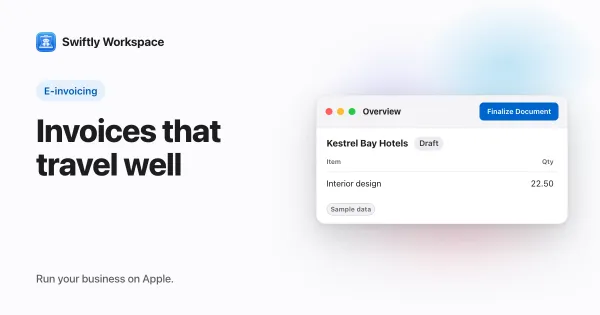
- Invoices and payments. Invoices, credit notes and proforma invoices, each a draft a person finalizes, and customer payments allocated to the open invoice they pay.
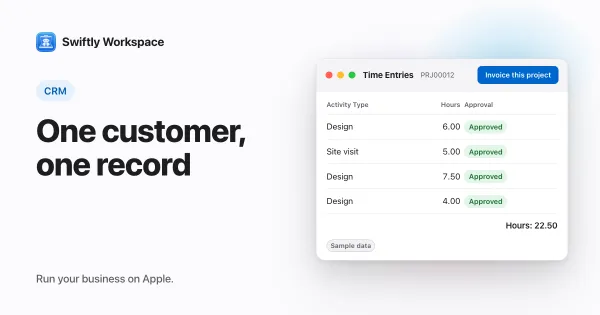
- Projects and time. Projects as Phases, Work Packages and Tasks with a budgeted amount, timesheets reviewed in Timesheet Approvals, and Invoice this project to turn approved billable hours into a draft invoice.
- Roles with field-level permissions, so each person sees the fields their role allows.
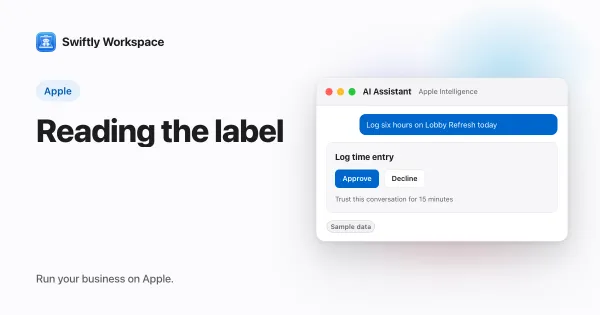
- AI on your terms. Your company's own key for a provider such as OpenAI, Gemini or Mistral, or Apple Intelligence on the device, where the text isn't sent to a cloud AI provider.
A note on Apple devices
The App Store lists the Zoho One app for iPhone, with no iPad version listed, and says it runs on a Mac with an Apple M1 chip or later. That covers a lot of everyday use. If your team works mostly on iPads and Macs, though, check how the apps you need run on those devices before you commit; our guide to what the App Store's device labels mean on a Mac explains what to look for.
Choose Zoho One if
- You want many areas of the business covered by apps from one vendor.
- Your company needs single sign-on and user provisioning today.
- You send e-invoices over PEPPOL in Belgium and want it inside your suite.
- Part of your team works outside Apple devices.
Choose Swiftly Workspace if
- You run a service business, and the path from customer to project to invoice is most of your admin.
- Hours need approval before they are billed.
- Your team works on Macs, iPads and iPhones and wants a native app on each.
- You would rather set up one app than choose and connect several.
What Swiftly Workspace doesn't do
Swiftly doesn't send or receive PEPPOL e-invoices today; our explainer on what PEPPOL is covers the basics. It has no estimates and no mail client, it is not accounting software, and it doesn't offer company single sign-on today. It runs on Apple devices. If you need software for areas beyond customers, projects and invoices, a suite like Zoho One covers ground we don't.
Looking at more options? See our roundup of Zoho One alternatives for small teams, our comparison with another broad business suite, and how we compare with Zoho's own CRM and accounting app.
What to test in a trial
- List the apps you would really use. Before the trial, write down which areas of the business you need covered this year, not someday.
- Rebuild one client job. In each tool, add a customer, a project, a week of hours and the invoice that closes it, and count the apps you opened along the way.
- Try it on every device. Install each tool on the iPhone, iPad and Mac your team uses.
- Count the licenses. Work out who needs a seat under each pricing option, including people who look things up once a week.
- Bring real data. Swiftly Workspace imports customers and their contacts, vendors, items, open invoices, payments and projects from CSV or XLSX; bring across invoices that are still fully unpaid.
Frequently asked questions
Does Zoho One have an iPad app?
On 2026-10-18, the App Store listed the Zoho One app for iPhone, with no iPad version, and said it runs on a Mac with an Apple M1 chip or later. Swiftly Workspace has one app for iPhone and iPad and a native Mac app.
Do I have to license every employee on Zoho One?
Not necessarily. Zoho One's pricing page shows a flexible-user option, and an All-Employee option that requires licensing all employees (checked 2026-10-18). Check the page for the current terms.
Can Zoho One send PEPPOL e-invoices?
Zoho documents PEPPOL e-invoicing for Belgium in Zoho Books; Zoho One's pages don't state it for the bundle itself (checked 2026-10-18). Swiftly Workspace doesn't send or receive PEPPOL e-invoices today.
Can Swiftly Workspace replace all of Zoho One?
No. Swiftly covers customers, vendors, projects, timesheets, invoices and payments. If you use other apps in the Zoho bundle for areas Swiftly doesn't cover, such as keeping the books, you would keep a separate tool for those.
Run your business on Apple.
Create your account on the web, then set up your workspace in the app on your iPhone, iPad or Mac.