Odoo alternatives for small businesses that want native apps
We make Swiftly Workspace, so read this with that in mind.
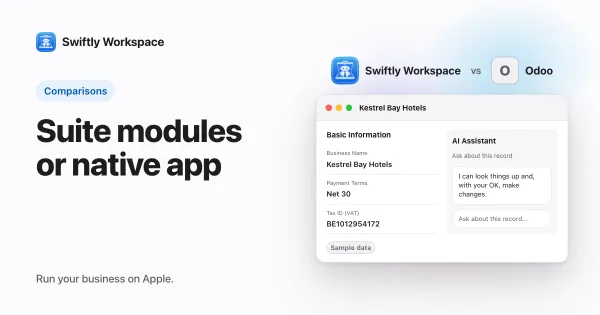
For customers, projects and invoices in a native app on Mac, iPhone and iPad, Swiftly Workspace is the Odoo alternative to try. For another broad suite, Zoho One and Business Central cover far more ground, and NetSuite is an ERP for companies that need one.
Odoo earns its place: you start with one app, add more as the business grows, and it handles PEPPOL itself. Small businesses still look around, usually for one of three reasons. The team works on Macs and wants a native app there, the suite feels bigger than the job, or they want a different AI setup. We held every tool to the same few points, each read on its vendor's own pages and listings.
The options at a glance
| Tool | iPhone and iPad | Mac | PEPPOL | Pricing model |
|---|---|---|---|---|
| Odoo | iPhone and iPad app | No Mac App Store app; the web app works on a Mac | Acts as an access point and an SMP | Per user per month; One App Free plan |
| Swiftly Workspace | One app for iPhone and iPad | Native Mac app | Not offered today | Left out of this roundup |
| Zoho One | iPhone app; no iPad version listed | Runs on Macs with Apple silicon | Through Zoho Books | Per user per month, annual licensing |
| Business Central | iPhone and iPad app | Installs as a browser app from Edge or Chrome | PEPPOL BIS 3 through a third-party access point | Per user per month, paid yearly |
| NetSuite | iPhone and iPad app | No Mac version listed | Not compared here | Not compared here |
Checked 2026-10-18 on odoo.com, zoho.com, the Business Central pricing page and documentation, NetSuite's help pages and the App Store. Odoo: pricing, App Store listing, documentation on mobile apps, electronic invoicing and AI keys. Zoho: Zoho One pricing, its listing, Zia, Zoho Directory and Zoho Books e-invoicing. Business Central: pricing, its listing, the desktop app and e-documents. NetSuite: its listing, single sign-on and AI. We leave prices out on every side.
Odoo: the suite you are comparing against
Odoo's One App Free plan gives you one app with unlimited users on Odoo Online, and paid plans, priced per user per month, come with a free trial. Its documentation says Odoo acts as both a PEPPOL access point and an SMP, and its AI app works with your own OpenAI or Gemini key, optional on Odoo Online and required on Odoo.sh or on-premise. On Apple devices there is an iPhone and iPad app; on a Mac you use Odoo in the browser or as a web app, which its documentation recommends. If breadth and built-in e-invoicing are what you need, Odoo is hard to beat. Our Swiftly Workspace and Odoo comparison goes point by point.
Swiftly Workspace: a native workspace for service work
Swiftly is narrower than a suite on purpose. It is a native Mac app with an iPhone and iPad app, for service businesses whose work runs from a customer to a project to an invoice. On the Mac, each customer or invoice opens in its own window.
- Customers with contacts and addresses, plus vendors and their bills.
- Invoices, credit notes and proforma invoices, each a draft a person finalizes, and customer payments allocated to the open invoice they pay.
- Projects as Phases, Work Packages and Tasks with a budgeted amount, timesheets reviewed in Timesheet Approvals, and Invoice this project to turn approved billable hours into a draft invoice.
- Roles with field-level permissions.
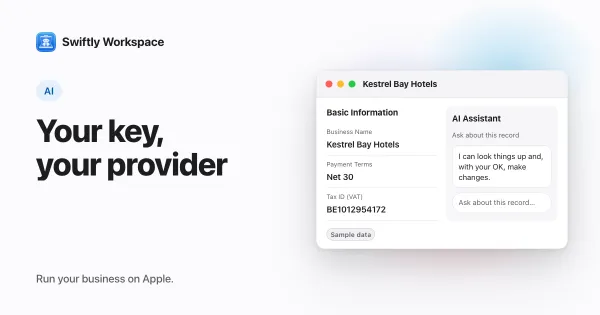
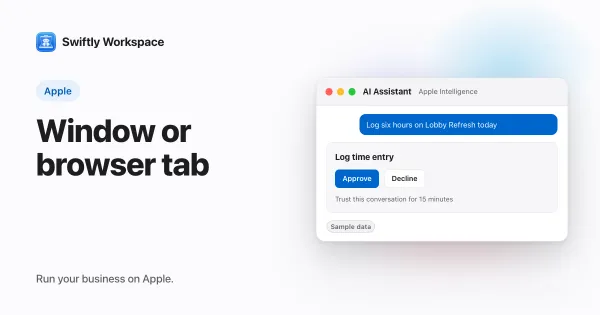
- AI with your company's own key for a provider such as OpenAI, Gemini or Mistral, or Apple Intelligence on the device, where the text isn't sent to a cloud AI provider. More in how bring your own AI key works.
What Swiftly doesn't do: it doesn't send or receive PEPPOL e-invoices today, it has no estimates and no stock management, and it is not accounting software. It runs on Apple devices, so a team on Windows or Android is better served by a suite.
Zoho One: one license, many Zoho apps
Zoho One bundles a large set of Zoho business apps under one license, priced per user per month with annual licensing, and a free trial. Its AI is Zia, with an option to bring your own OpenAI key. Zoho Directory adds SAML single sign-on and SCIM provisioning. PEPPOL sits in Zoho Books, one of the apps in the bundle, rather than in Zoho One itself. On Apple devices, the Zoho One app is listed for iPhone, with no iPad version listed, and runs on Macs with Apple silicon. Choose it if you want many connected apps from one vendor. See how Swiftly compares with Zoho One.
Business Central: finance and operations in one system
Business Central covers finance, sales and operations, priced per user per month and paid yearly, with a 30-day trial. Copilot is included with the Essentials plan, and agents need Copilot Credits, sold separately. It produces PEPPOL BIS 3 documents, and sending them goes through a third-party access point you contract. There is an iPhone and iPad app; on a Mac, Business Central installs as a browser app from Edge or Chrome. Choose it if accounting and operations sit at the center of your business. Our Business Central comparison covers the details.
NetSuite: when you need a full ERP
NetSuite has an iPhone and iPad app, with no Mac version listed on the App Store. Its help pages document SAML single sign-on, and say its own AI features don't take your own model or AI provider. We could not compare its pricing from its own pages, so it is left out here. Read more in our NetSuite comparison.
Suite or focused workspace
A suite asks you to choose modules, configure them and keep them connected, and in return it covers almost any area of the business. A focused workspace does less, so there is less to set up, and the parts it covers are built to work together. Neither is better in the abstract. The question is how many areas you need to run well today, and how much setup you are willing to own. If the team spends its day in a browser anyway, a web suite may suit you; our guide to native apps versus web apps for business explains what changes when it doesn't.
What to test in a trial
- Start with the device. Install each tool on the Mac, iPhone and iPad your team uses, and note how it runs on each.
- Rebuild one real job. Add a customer, a project, a week of hours and the invoice that closes it.
- Count the setup. Write down every module, setting or partner call you needed before that job worked.
- Check e-invoicing. If your customers expect PEPPOL now, send a test document from the tools that offer it.
- Plan the move. Swiftly Workspace imports customers and their contacts, vendors, items, open invoices, payments and projects from CSV or XLSX. Bring across invoices that are still fully unpaid, and settle partly paid ones before you switch. Our switching checklist covers the rest.
Frequently asked questions
Which Odoo alternative needs the least setup?
A focused tool usually needs less than a suite, because there are fewer modules to choose and connect. Swiftly Workspace covers customers, projects, timesheets and invoices in one app, while a broad suite asks you to pick and set up the modules you need before you start.
Which Odoo alternatives handle PEPPOL e-invoicing?
Zoho One handles PEPPOL through Zoho Books, and Business Central produces PEPPOL BIS 3 documents that you send through a third-party access point (checked 2026-10-18). Swiftly Workspace doesn't send or receive PEPPOL e-invoices today.
Which of these alternatives offer single sign-on?
Zoho One offers SAML single sign-on and SCIM through Zoho Directory, and NetSuite documents SAML single sign-on (checked 2026-10-18). Swiftly Workspace doesn't offer company single sign-on today.
Run your business on Apple.
Create your account on the web, then set up your workspace in the app on your iPhone, iPad or Mac.