Swiftly Workspace vs monday CRM: an honest comparison
We make Swiftly Workspace, so read this with that in mind.
Pick monday CRM when you want a flexible CRM on boards you shape yourself, with AI credits and apps for iPhone, iPad and Mac. Pick Swiftly Workspace when you run a service business and want structured records for customers, projects, approved timesheets and invoices in one native Apple app.
Both tools put customers and work in one place, so on paper they overlap. In practice they start from opposite ends. monday gives you building blocks and lets you design the process. Swiftly gives you the process already shaped for service work, and lets you adjust the fields. Which one feels right says a lot about how settled your way of working is.
Swiftly Workspace and monday CRM at a glance
| monday CRM | Swiftly Workspace | |
|---|---|---|
| Built around | Boards you shape, with automations | Customers, projects, timesheets and invoices as structured records |
| Apple apps | iPhone and iPad app, plus a separate app built for the Mac | Native Mac app, plus iPhone and iPad |
| Invoices | Quotes and invoices on all plans, with a monthly allowance | Invoices, credit notes and proforma invoices; no estimates |
| AI | AI plan variants with AI credits | Your own key for a provider such as OpenAI, Gemini or Mistral, or Apple Intelligence on the device |
| Single sign-on | Not compared here | Not offered today |
| Pricing model | Per seat; plans start from three users; no free plan listed; 14-day trial | Left out of this comparison |
monday facts checked 2026-10-18 on monday.com and the App Store: the monday CRM pricing page, and the App Store listings for iPhone and iPad and the Mac; the monday CRM product page was checked 2026-10-25. We leave prices out of this comparison on both sides.
What monday CRM does well
Flexibility is monday's strength: its CRM page describes flexible boards, fields, views, automations and dashboards. You shape boards to match how your team sells and works, and add automations as the process settles. Its CRM pricing page lists quotes and invoices on all plans, with a monthly allowance that grows with the plan, and AI plan variants that come with AI credits, agents and an AI meeting notetaker, with an AI workflow builder on the higher AI plans.
On Apple devices, monday.com has an iPhone and iPad app and publishes a separate app on the Mac App Store, built for the Mac. So the Mac is not where these two tools differ. Pricing is per seat, plans start from three users, the CRM pricing page lists no free plan, and there is a 14-day trial.
Where Swiftly Workspace is different
Swiftly is less of a toolkit and more of a finished workflow for service businesses. The records and their links are already there; you decide which fields matter. Our guide to running an agency from one app shows how that looks day to day.
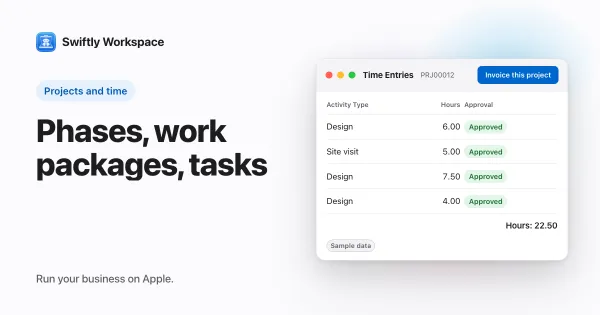
- A project structure that doesn't need designing. Projects break down into Phases, Work Packages and Tasks with a budgeted amount. See how Phases, Work Packages and Tasks fit together.
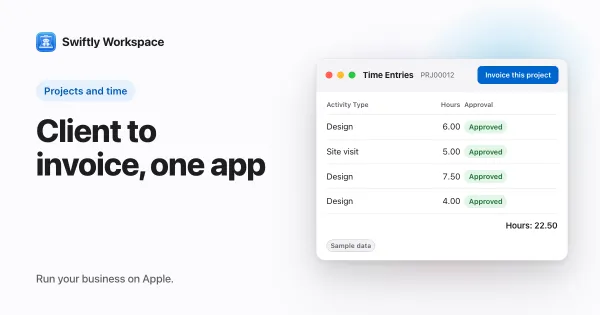
- Approved time that becomes an invoice. Team members submit timesheets, approvers review them in Timesheet Approvals, and Invoice this project turns approved billable hours into a draft invoice.
- Money on the customer record. Invoices, credit notes and proforma invoices, each a draft a person finalizes, with customer payments allocated to the open invoice they pay. Vendors and their bills sit in the same workspace.
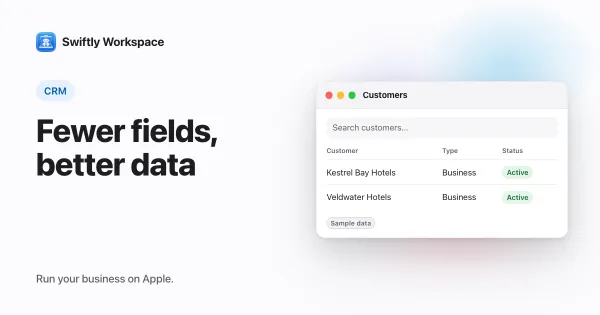
- Fields you tune, not processes you build. Make a field visible, required or give it a default value, set roles with field-level permissions, and see a change history on each record. More in shaping your CRM fields.
- AI on your terms. Your company's own key for a provider such as OpenAI, Gemini or Mistral, or Apple Intelligence on the device, where the text isn't sent to a cloud AI provider.
Flexible or opinionated: what it means in practice
A flexible tool is a gift when your process is unusual or still moving. You can model almost anything, and the tool grows with your ideas. The cost is ownership: someone has to design the boards, keep the automations working and explain the setup to every new hire.
An opinionated tool makes the opposite trade. The structure is decided for you, so a new colleague finds the project, the timesheet and the invoice where they expect them, and month end follows the same steps every time. The cost is that you adapt to its way of working. For a service business that bills hours every month, that trade often pays off; for a team still inventing its process, it may feel tight.
Choose monday CRM if
- Your process is still changing, and you want to redesign it on boards as you go.
- You want AI credits and an AI meeting notetaker as part of the CRM.
- You want automations and AI agents across many teams.
- Your team also works on devices beyond Apple.
Choose Swiftly Workspace if
- You run a service business and want projects, timesheets and invoices to fit together without designing them.
- Hours need approval before they are billed.
- You want credit notes and proforma invoices next to your invoices, and payments allocated to them.
- You want to choose your own AI provider, or keep AI on the device.
What Swiftly Workspace doesn't do
Swiftly has no boards you lay out yourself and no automation builder, so if your process changes every quarter, monday adapts faster. It has no estimates, and it doesn't offer company single sign-on today. It runs on Apple devices. For a broader view of CRM choices, read our small business CRM guide, see our roundup of monday CRM alternatives for small teams, or compare sales-led options in HubSpot alternatives for small service businesses.
What to test in a trial
Write down your process before you open either tool: how a customer arrives, how work is planned, how hours are approved and how the invoice goes out. Then build it in each. In monday, count the boards, columns and automations you had to set up. In Swiftly, count the fields you had to change. Neither number is good or bad on its own; what matters is which version you would trust a new colleague to use next month.
Then hand both setups to someone who wasn't involved and ask them to log a week of hours and find last month's invoice. Their questions tell you how much of the tool lives in one person's head.
Last, change something on purpose. Add a new field the client now asks for, or a new approval step, and see who on the team can make that change and how long it takes. A tool you can adjust safely in an afternoon will keep fitting as the business changes.
Finish the test with a real invoice from approved hours. To test Swiftly with your own data, Swiftly Workspace imports customers and their contacts, vendors, items, open invoices, payments and projects from CSV or XLSX; bring across invoices that are still fully unpaid.
Frequently asked questions
Does monday CRM have a Mac app?
Yes. Besides its iPhone and iPad app, monday.com publishes a separate app on the Mac App Store, built for the Mac (checked 2026-10-18). Swiftly Workspace also has a native Mac app.
How many users does a monday CRM plan need?
monday's CRM pricing page says plans start from three users, priced per seat, with a 14-day trial (checked 2026-10-18). Check the page for the current terms.
Is Swiftly Workspace a project management tool like monday?
Partly. Swiftly has projects with Phases, Work Packages and Tasks, budgets and approved timesheets, but they are built for billing client work. It has no boards or automation builder for general team planning.
Run your business on Apple.
Create your account on the web, then set up your workspace in the app on your iPhone, iPad or Mac.