No ads and no cross-app tracking: what that means
Swiftly Workspace shows no advertising and does not track you across other companies' apps or websites. Its privacy manifests on iPhone, iPad and Mac declare no tracking, and the app never asks for tracking permission. A few named services still receive data so the app can work.
"No tracking" is easy to promise and hard to check, so this post spells out what it means in practice: what Apple's rules say, what the app contains, which outside services it talks to and why, and how the marketing website is a separate case.
What "tracking" means on Apple devices
Apple uses the word in a narrow, useful sense. An app tracks you when it links what it knows about you with data from other companies, to target ads or to measure them, or when it shares your data with data brokers. An app that wants to do that has to ask beforehand, with the familiar prompt that lets you say no.
Every app also ships a privacy manifest: a file that declares which kinds of data it collects, why, and whether any of it is used for tracking. That file feeds the privacy details people see on the App Store.
What Swiftly's app declares
- No tracking. Both manifests, for iPhone and iPad and for Mac, state that the app does not track and list no tracking domains.
- Every data type is for running the app. Account details such as your name and email, the records your team creates, purchase status and similar items are all declared for app functionality. None is declared for advertising or tracking.
- No tracking prompt. The app never asks for permission to track, because it does not do it.
- No advertising. There are no ads anywhere in the app.
Which outside services the app talks to
No tracking does not mean no data leaves your device. A business app has to store your records somewhere and needs a few services to work. Here are the services involved:
| Service | Why | What it receives |
|---|---|---|
| Swiftly's own server | Your workspace lives there | The records you and your team create |
| Apple | App Store purchases and push notifications | Purchase details and, if you allow notifications, a device token |
| RevenueCat | Keeps track of your subscription status | Purchase and subscription information, not your workspace data |
| The AI provider your company connects | Answers when you use a cloud AI feature | The text you send and the context needed to answer it |
| The apps' own feedback service | Runs Feature Requests (Feedback on the Mac) | A random ID for your device, visits to its feedback screens, and what you post or vote on |
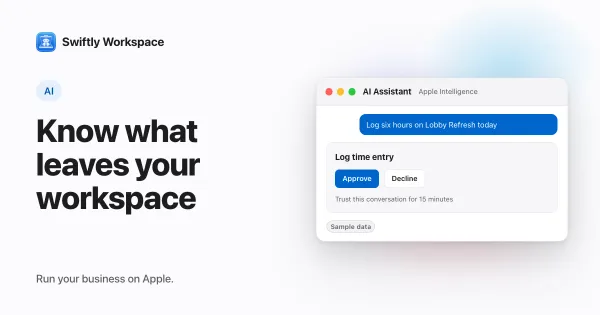
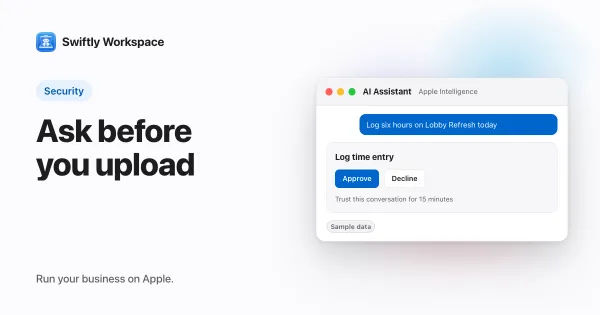
A few details matter. With Apple Intelligence on a supported device, the AI answer is generated on the device and the text isn't sent to a cloud AI provider; what data is sent to an AI provider covers both cases. The feedback service behind Feature Requests registers a random ID for your device when the app starts, and it counts visits to its feedback screens. It receives your email address when you add one to a request or a vote, for example to hear when the request changes. None of this is used for ads or shared to track you across other companies' apps.
Stored AI keys and passwords get their own protection, explained in how stored AI keys are encrypted and how passwords are stored.
The website is a different story
The app and the marketing website are separate surfaces with separate rules. On the website:
- Reading public pages sets no cookies. Visit totals are counted on the website's own server, with nothing placed on your device.
- Google Analytics 4 is opt-in. It can load on the public marketing, legal and partner pages once you switch analytics on in the cookie preferences. Nothing loads if you decline or never choose.
- Never in the workspace. Analytics does not run inside your workspace, on the sign-in page or on any page behind a login.
- Arrivals from AI assistants are recorded with a keyed hash of your IP address, not the address itself.
Your cookie choices stay in your browser and are not sent to the site. The cookie policy lists each item and holds the preferences panel.
How to check any business app yourself
- Open the app's page on the App Store and read its privacy details. Look for "Data Used to Track You".
- Watch for the tracking permission prompt after installing. A business tool rarely needs one.
- Read the provider's privacy policy for a list of the services that receive data, and compare it with what you see in the app.
- Ask whether the website and the app follow the same rules. Often they don't, and that is fine as long as it is said.
For a broader checklist before customer data goes into any app, see GDPR questions to ask before you put customer data in a business app. Swiftly's own statements are in the privacy policy.
Frequently asked questions
Is there a business app without ads or tracking?
Yes. Swiftly Workspace shows no ads, and its privacy manifests on iPhone, iPad and Mac declare no tracking. It never asks for tracking permission.
Does "no tracking" mean no data leaves my device?
No. Your workspace is stored on Swiftly's server, purchases go through Apple and a subscription service, cloud AI features send the question to the provider your company chose, and the feedback service receives what you post in Feature Requests.
Why does the website ask about cookies if the app doesn't track?
Because the website can use Google Analytics 4, with your consent and never without it. The app and the website are separate, and analytics never runs inside the workspace or on the sign-in page.
Where can I see what an app collects before I install it?
On its App Store page, in the privacy details section. It shows the data types the app declares and whether any are used to track you.
Run your business on Apple.
Create your account on the web, then set up your workspace in the app on your iPhone, iPad or Mac.
Create your account