Supplier records: bank details, tax numbers and terms
A good supplier record holds the supplier's legal name, VAT or tax number, address, a contact for invoices, payment terms and bank details. Keep suppliers in their own list next to your customers, and confirm any bank change before you save it.
Small businesses often track suppliers in an email folder and a banking app. That works until a bill arrives from a company nobody recognizes, or a payment goes to an old account. A supplier record puts the facts you need to pay correctly in one place.
What a supplier record should hold
| Information | Why you need it |
|---|---|
| Legal name and type | Bills and payments must match the entity you actually buy from |
| VAT or tax number | Needed to reclaim VAT in many countries, and a quick check that the supplier is real |
| Address and country | Decides which tax rules apply to what you buy |
| Contact for invoices | The person to ask when a bill is wrong or missing |
| Payment terms | When each bill falls due |
| Bank details | Where the money goes, so nobody retypes an account number from a PDF |
Keep suppliers apart from customers
Some companies are both: you buy from them and sell to them. Even then, keep a supplier record and a customer record. The terms, the contacts and the direction of the money are different, and mixing them makes both lists harder to trust. The structure of the customer side is covered in customers, contacts and addresses for B2B.
Bank details deserve extra care
- Store them once. Every payment should start from the saved account, never from the number on this month's invoice.
- Treat changes as suspicious. An email announcing new bank details is a common fraud pattern. Before you save a new account, call the supplier on a number you already have.
- IBAN and BIC. The IBAN identifies the account; the BIC identifies the bank. Within the SEPA area an IBAN is usually enough for a euro transfer, but storing both does no harm.
- Limit who can see them. Not everyone on your team needs supplier bank details. Roles and field-level permissions are the usual way to narrow that down.
Payment terms that match what you agreed
Payment terms decide when each bill falls due, so they belong on the supplier record rather than in someone's head. Record the terms you actually agreed, not the ones printed on the supplier's invoice template, and update the record when you renegotiate. If a supplier offers a discount for paying early, note it where the person paying will see it. Clear terms on every record make it easy to see what has to go out this week and what can wait, and they keep a good supplier relationship from turning sour over a late payment nobody noticed.
Managing suppliers in Swiftly Workspace
In Swiftly Workspace, suppliers are vendors. You find them under Vendor Management, then Vendors, and the same list appears under Finance, then Vendors. On a Mac, click Add Vendor to create one. Vendor Management is a module: if it is not in your sidebar, ask an admin to look under Administration, then Modules.
- The essentials up front. A new company's vendor form shows Vendor Type (business or individual) with the vendor's name, plus Status, Email, Phone, Payment Terms, VAT Number and Country. The type and the name are locked on the form; other fields can be turned on, as our guide to configuring your forms explains.
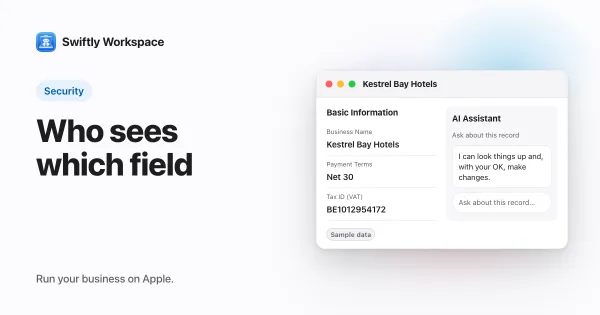
- Everything on one card. On a Mac, each vendor opens in its own window with Basic Information, Addresses, Contacts, Banking, Documents and Payments in its sidebar.
- Bank accounts in Banking. Add Bank Account asks for the Account Holder, the IBAN / BIC, the Bank name and the currency. A vendor can have more than one account.
- A VAT check. The VAT Number can be checked against the EU's VIES service from the vendor record; how to check an EU VAT number explains the answers.
With the record in place, the supplier's bills and payments land on the same card. Our guide to tracking supplier bills next to customer invoices picks up from there.
A short supplier checklist
- Create the record before any bill arrives, not while you are paying it.
- Check the VAT number and the legal name against the supplier's own paperwork.
- Save the bank account once, after confirming it by phone.
- Set the payment terms you actually agreed.
- Review your supplier list once a year and deactivate the ones you no longer use.
Frequently asked questions
What information should I collect from a new supplier?
The legal name, registered address, VAT or tax number, a contact for invoices, the payment terms you agreed and the bank details for payments. Ask for them in writing, and confirm the bank details by phone.
How do I check that a supplier's bank details are genuine?
Call the supplier on a phone number you already had, not one from the email that sent the details, and confirm the account with someone you know. Do the same every time a supplier says its account has changed.
Should a company that is both a supplier and a customer have one record or two?
Two. One for what you buy, one for what you sell. Each side has its own terms, contacts and balances, and keeping them apart keeps both accurate.
Run your business on Apple.
Create your account on the web, then set up your workspace in the app on your iPhone, iPad or Mac.
Create your account