Free trial or demo: how to evaluate business software
Use a demo to see whether a product fits, and a free trial to prove it works with your own data and team. Before either, write down the three to five jobs the software must do, then test each one end to end before you pay.
Choosing business software on the strength of a feature list is how teams end up switching again a year later. The features are usually there. What fails is the fit: the invoice that cannot carry the reference your customers need, the import that drops half your contacts, the phone app nobody opens. A good evaluation finds those gaps while walking away is still free.
Trial, demo, freemium or sandbox
| Format | What you get | Good for | Watch for |
|---|---|---|---|
| Free trial | Full or near-full access for a limited period | Testing real work with your own data | A clock that runs while you are busy; a card that converts when it ends |
| Demo | A guided tour, or a ready-made sample company to explore | Seeing the shape of the product quickly | Sample data that hides the effort of setting up your own |
| Freemium | A permanent free tier with limits | Slow, low-risk evaluation | Limits that hit the feature you actually need |
| Sandbox | A separate test environment next to a paid account | Testing changes and integrations safely | Usually offered after you buy, not before |
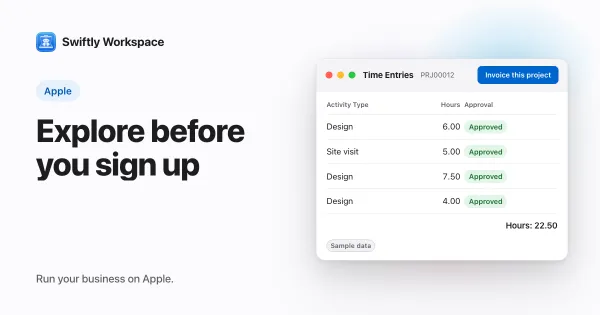
Many teams use more than one. A demo or sample company is the fastest way to decide whether a product is worth a trial at all; the guide to exploring a business app without signing up describes how that kind of demo works. A trial then answers the harder question of whether it fits your business.
Before you start: write down what success looks like
- List the jobs. Three to five tasks the software must do well, in your words: "invoice a client for a month of hours", "see which invoices are overdue", "add a new team member in under five minutes".
- List the deal-breakers. The things that would rule a product out, such as a missing e-invoicing format, no phone app or no export.
- Pick the testers. At least one person who will use it every day, not just the person who will approve the purchase.
- Gather real data. A recent customer list, a few real invoices, last month's hours. Sample data hides the problems you came to find.
A two-week evaluation plan
- Days one and two: set up. Create the company, add your branding, invite a colleague and import a real customer list. Note every step that needed help.
- Days three to seven: run the jobs. Do each job on your list with real data, on every device your team uses. Record what took longer than it should.
- Days eight to ten: test the edges. Credit a wrong invoice, correct an approved timesheet, remove a user, export your data.
- Days eleven and twelve: ask support a real question. The answer, and how long it took, tells you what support will be like later.
- Days thirteen and fourteen: decide. Score each job and deal-breaker, and add up the cost as your team grows.
If the trial is shorter than your plan, ask for an extension before you start. Many vendors agree when you explain what you want to test.
What to test that feature lists skip
- Getting data in. Import your own file, not the vendor's template, and check what was lost.
- Getting data out. Export everything you put in. Software that is hard to leave is expensive to stay in. The checklist for switching business software lists what to check.
- Roles and permissions. Can you limit what a new hire or an accountant sees?
- Every device. If people work on phones or tablets, test there too, not just on the laptop.
- The real price. Work out the cost at today's team size and in two years. The guide to per-user, per-company and flat-fee pricing shows how each model grows, and what switching software really costs covers the costs beyond the subscription.
Red flags during an evaluation
- The demo never leaves sample data, and requests to see your own scenario are deflected.
- Basic questions about exports, data location or pricing get no clear written answer.
- Setup needs paid services before you can test the jobs on your list.
- Sales replies fast, but support is slow when you test it as a trial user.
Frequently asked questions
How long should a software free trial be?
Long enough to run your real jobs at least twice. For many small businesses that means two weeks to a month; a month covers a full billing or payroll cycle. A short trial is fine if the setup is quick and the plan above fits inside it.
Do free trials need a credit card?
Some do and some do not. Trials that ask for a card up front often convert to a paid plan when the trial ends unless you cancel, so note the end date the day you sign up.
What should I ask in a software demo?
Ask to see your own scenario, not the standard tour: one of your real jobs, done live. Then ask how data gets in and out, what the price will be as your team grows, and what support looks like after you buy.
Is my trial data kept if I subscribe?
It depends on the vendor. Some trials carry everything into the paid account; others start you on a clean one. Ask before you put real work into a trial, and keep your source files either way.
Run your business on Apple.
Questions about running your business on Mac, iPad and iPhone? Our team answers every message.
Contact support